

KubeBlocks for
ZooKeeper
Apache ZooKeeper is a centralized coordination service for distributed systems. It helps teams manage configuration, naming, synchronization, and group membership with a quorum-based design used by data platforms and messaging systems.
Supported versions
Available on
 AWS
AWS Azure
Azure GCP
GCP OCI
OCI Alibaba Cloud
 Rancher
 OpenShift
Databases
 MySQL
MySQL PostgreSQLOracle
 SQL Server
 Redis
Redis MongoDB
 ClickHouse
Vector & AI
 Qdrant
 Milvus
 Elasticsearch
Message queues
 RocketMQ
 RabbitMQ
 Kafka
KafkaOthers
 VictoriaMetrics
 InfluxDB
 etcd
etcd ZooKeeper
Extend database engines like plug-ins
KubeBlocks provides unified database operations through its addon-based architecture. With KubeBlocks Enterprise, access over 15 seamless integrations to scale your database services.
One control plane, consistent operations across all engines — powered by the addon mechanism.
Run ZooKeeper with real lifecycle, scaling, tuning, observability, and recovery workflows
Operate ZooKeeper through lifecycle, scaling, tuning, backup, observability, and audit workflows backed by real KubeBlocks Enterprise screenshots.
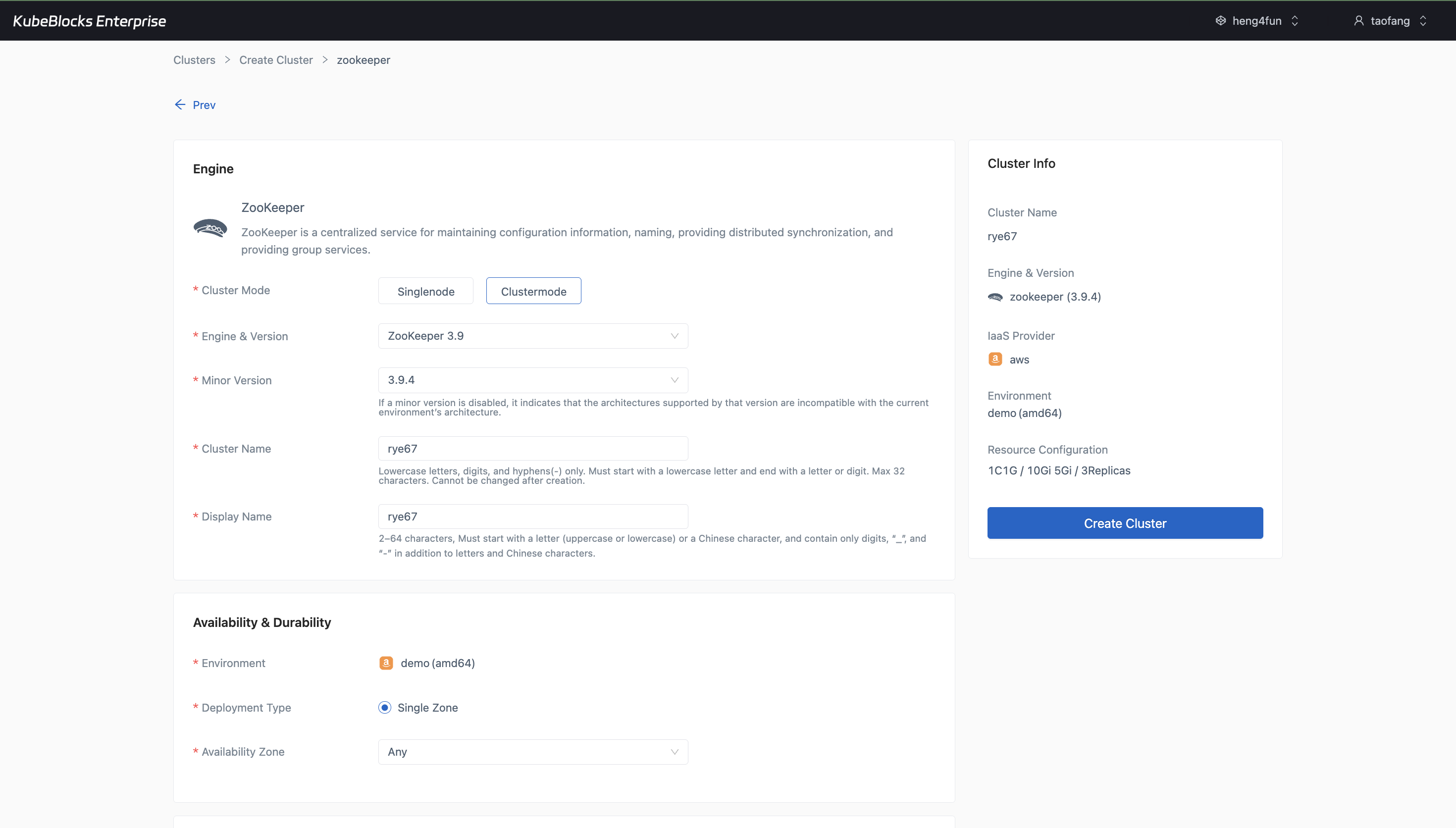
The create wizard keeps clustered mode, version, replica, compute, storage, and backup settings visible before ZooKeeper is provisioned.
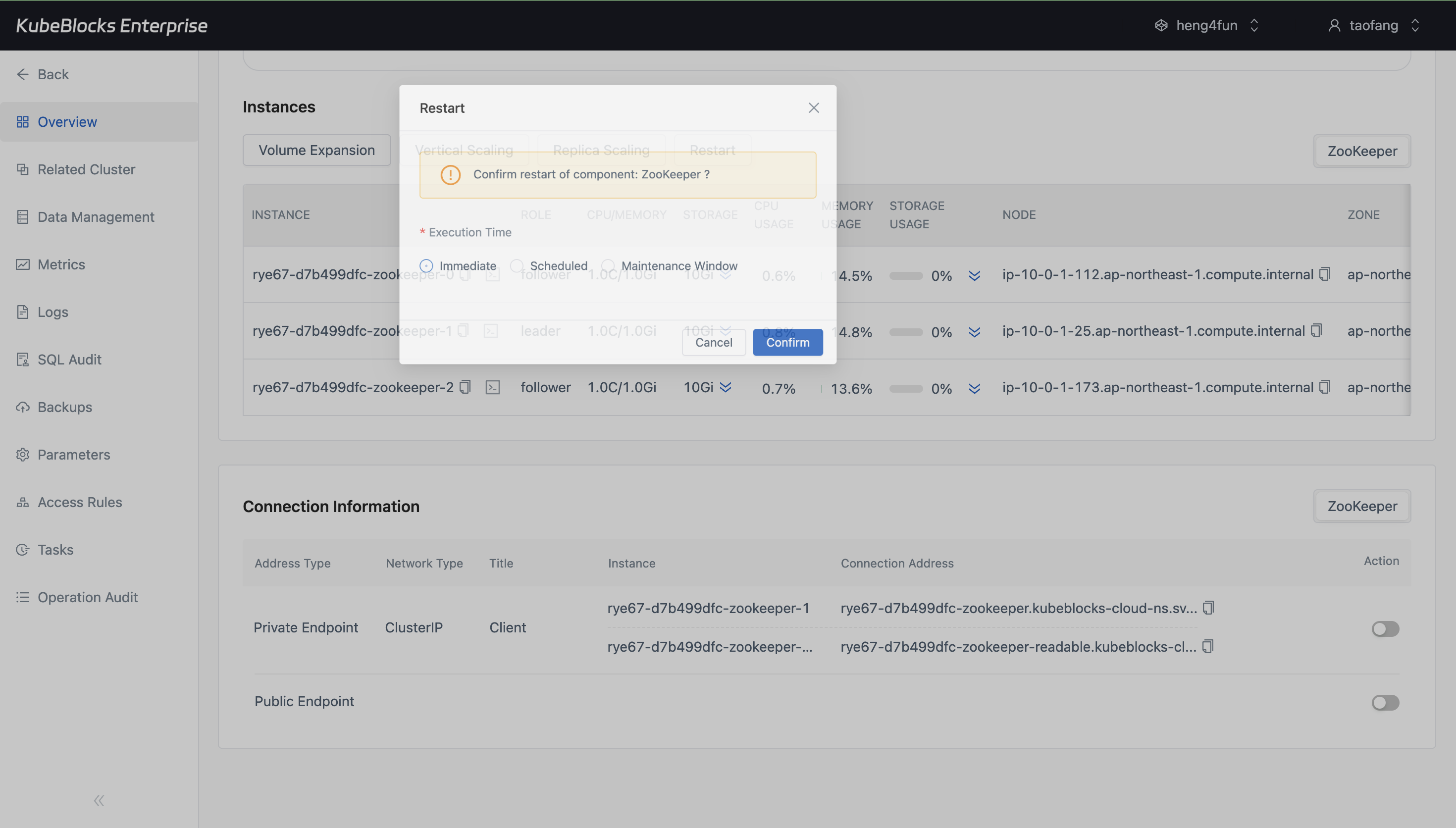
Restart remains in the ZooKeeper overview so users can trigger planned lifecycle work without losing cluster context.
Provision clustered ZooKeeper and restart it from the same workspace
Launch ZooKeeper in clustered mode with version, replica, storage, backup, and maintenance settings visible up front, then run restart from the live cluster view without switching to a separate control surface.
- Create ZooKeeper 3.9 clusters with clustered mode, replica count, compute sizing, storage, backup, and maintenance settings selected before provisioning.
- Run restart directly from the cluster overview while topology, instance roles, and task feedback remain in view.
- Keep routine lifecycle work anchored to the same ZooKeeper detail page used for day-2 operations.
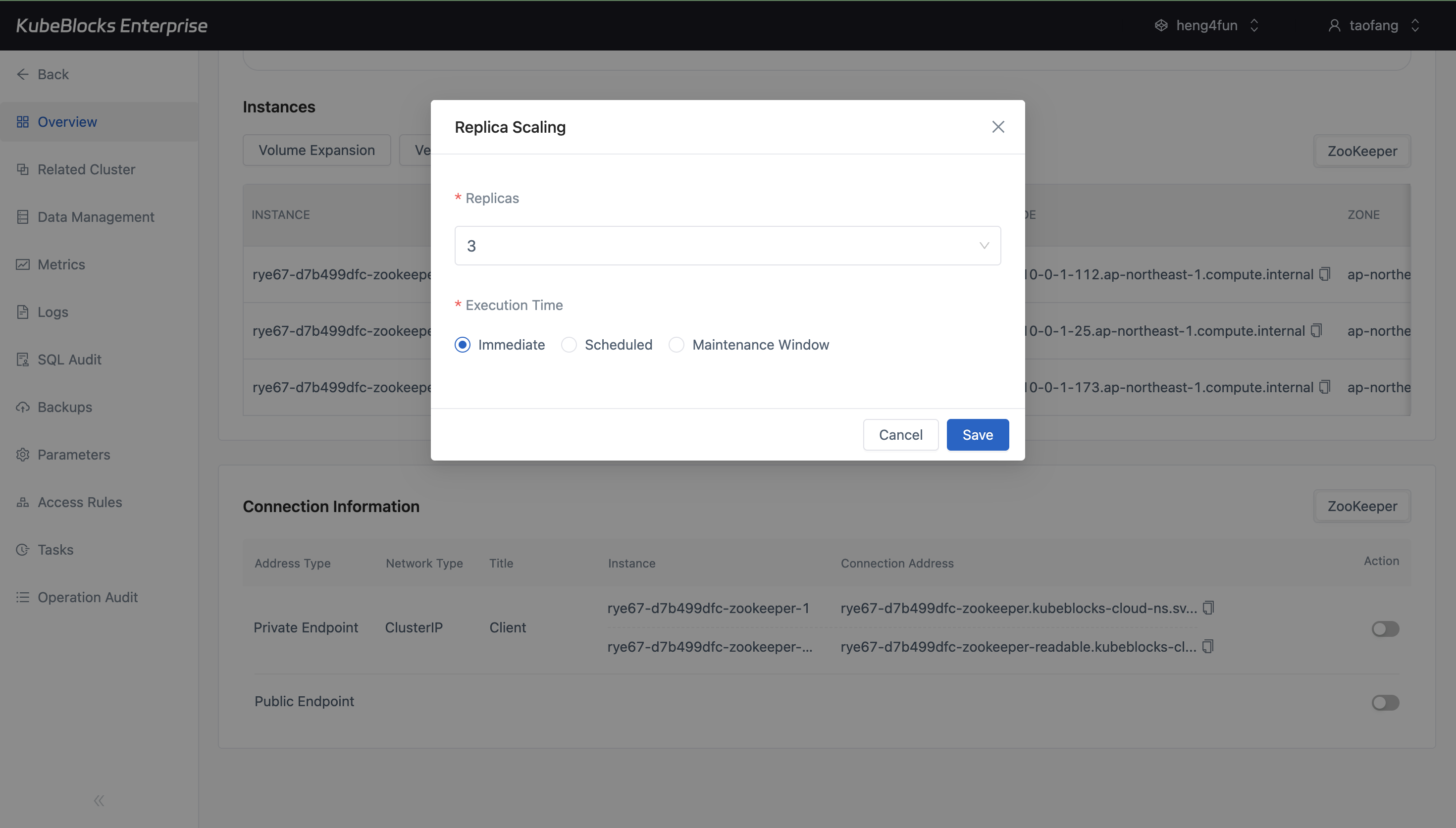
Replica Scaling keeps ZooKeeper topology changes focused by showing the current replica count and execution timing in one flow.
Adjust ZooKeeper replicas with a dedicated Replica Scaling workflow
Scale clustered ZooKeeper through an explicit replica workflow that keeps the current replica count and execution timing visible before users submit topology changes.
- Open Replica Scaling directly from the ZooKeeper overview after the cluster reaches steady state.
- Review the current quorum size before changing the replica count.
- Choose immediate or scheduled execution without mixing replica changes into unrelated tuning or backup workflows.
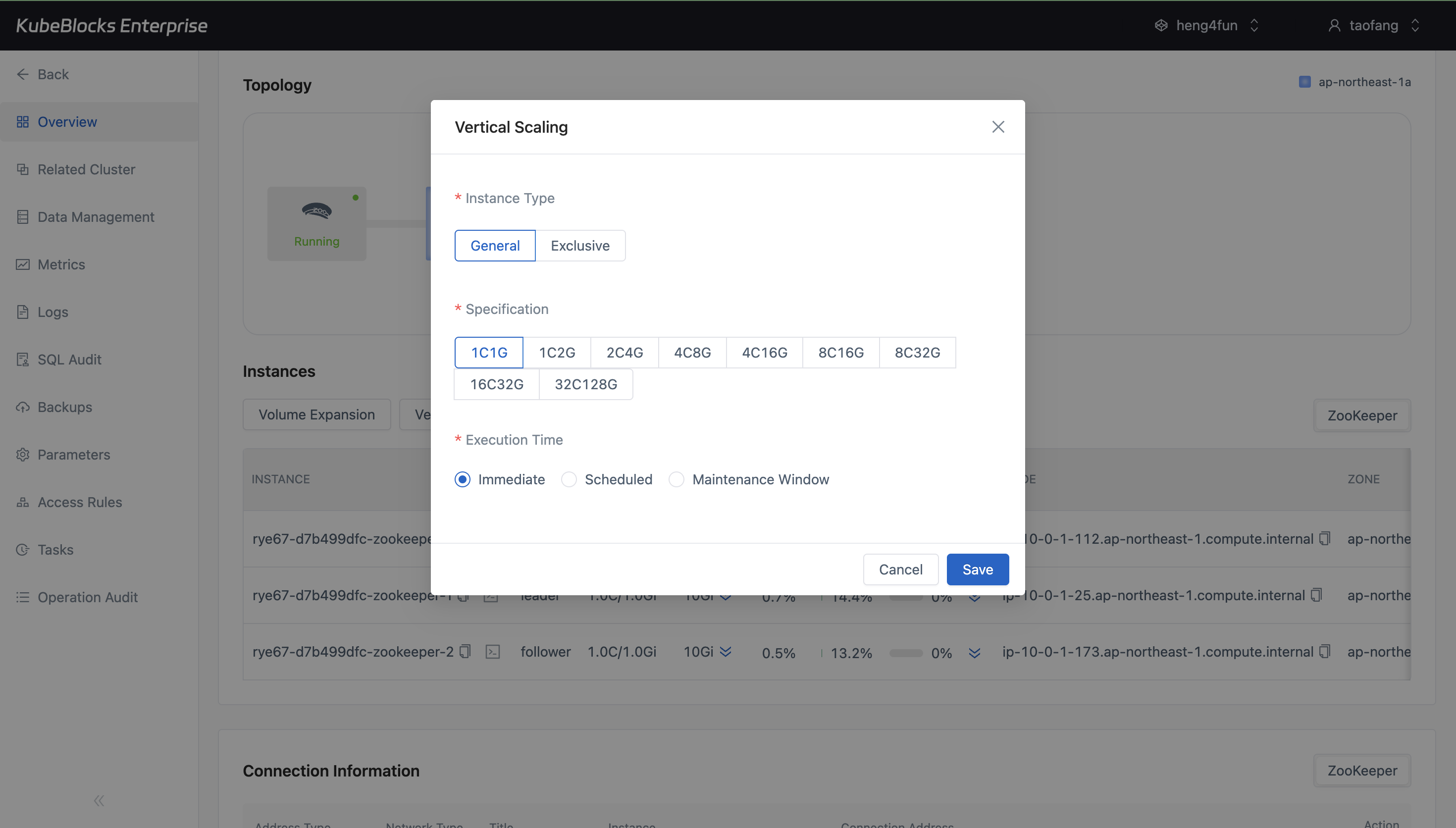
Vertical Scaling surfaces ZooKeeper instance type, specification, and execution timing before users save a compute change.
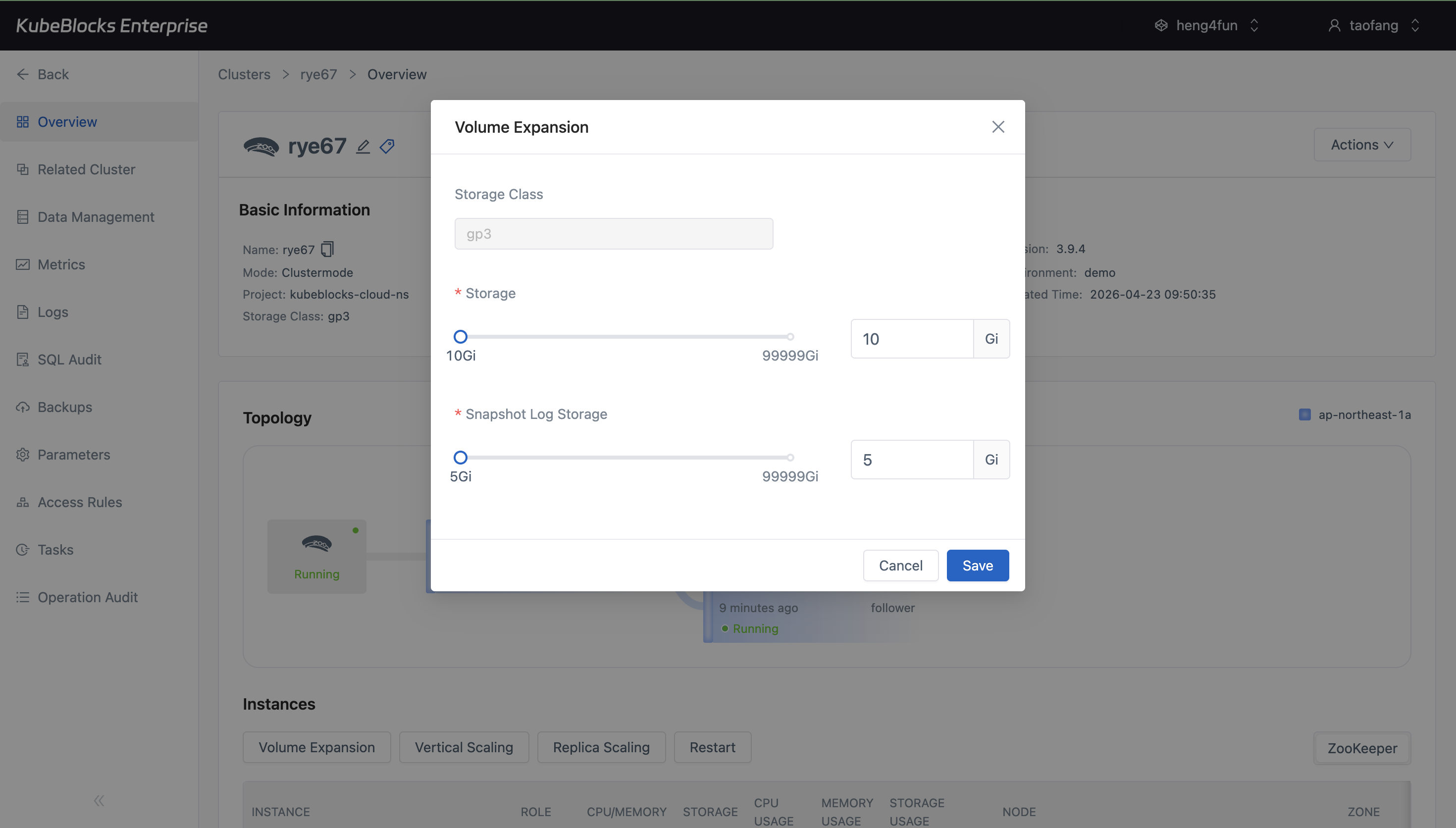
Volume Expansion keeps data and snapshot log storage growth explicit by showing current and target capacity in one dialog.
Resize compute and storage through focused scaling dialogs
Use separate Vertical Scaling and Volume Expansion flows so CPU, memory, data storage, and snapshot log storage changes stay easy to review before submission.
- Compare CPU and memory profiles in Vertical Scaling before applying a ZooKeeper compute change.
- Grow both data storage and snapshot log storage from Volume Expansion when retention or activity increases.
- Keep scaling evidence tied to real pre-submit dialogs instead of generic task-state pages.
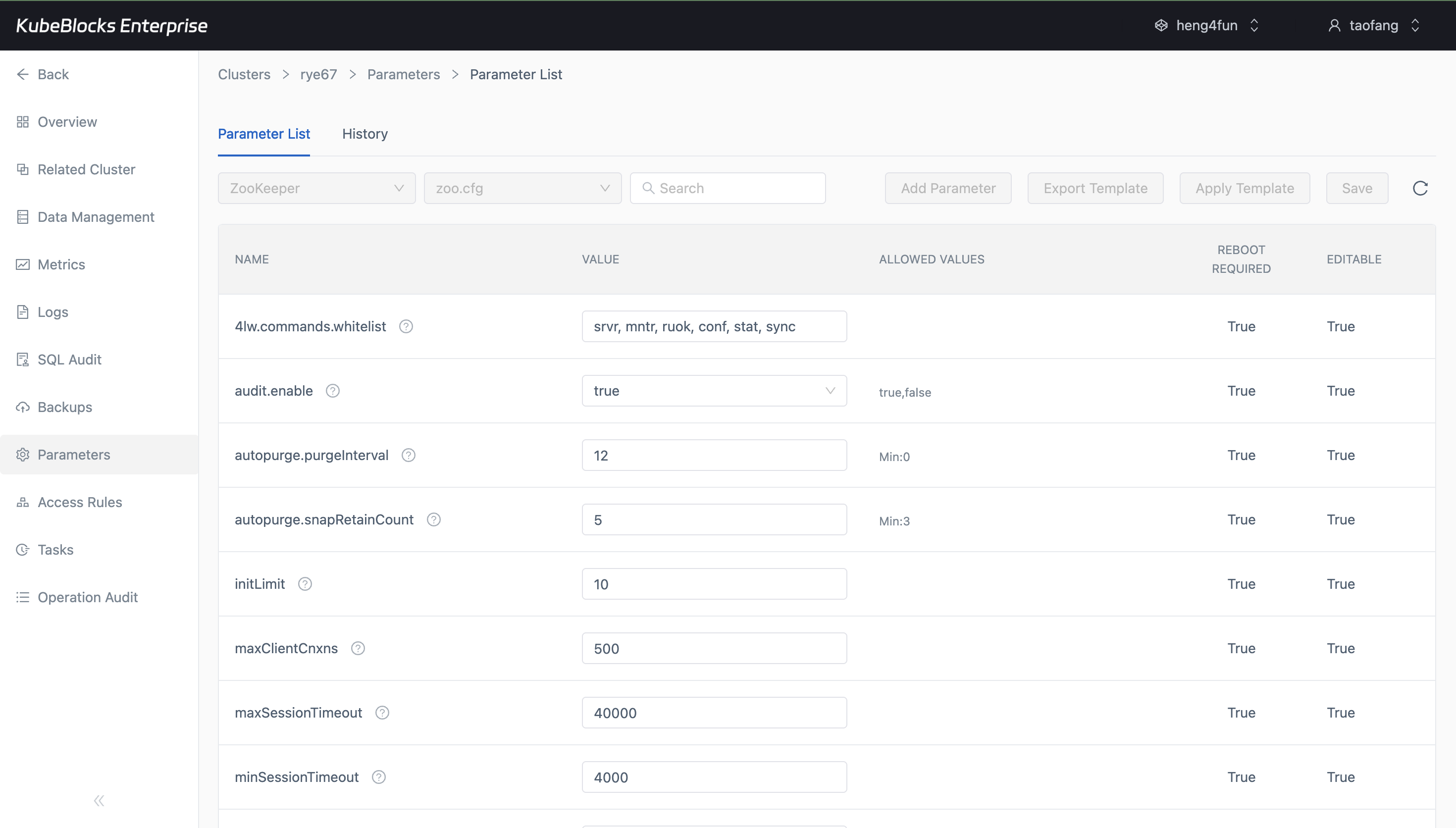
The Parameters workspace keeps current ZooKeeper settings and editable values together so users can tune runtime behavior with more context.
Tune ZooKeeper parameters from a parameter-first workflow
Review runtime settings from the Parameters workspace so users can inspect current ZooKeeper configuration before they commit reconfiguration work.
- Inspect the `zoo.cfg` parameter list from a dedicated parameter page instead of editing raw files by hand.
- Review editable values such as session timeout, purge settings, and audit controls with current values in context.
- Keep tuning separate from scaling, restart, backup, and restore tasks.
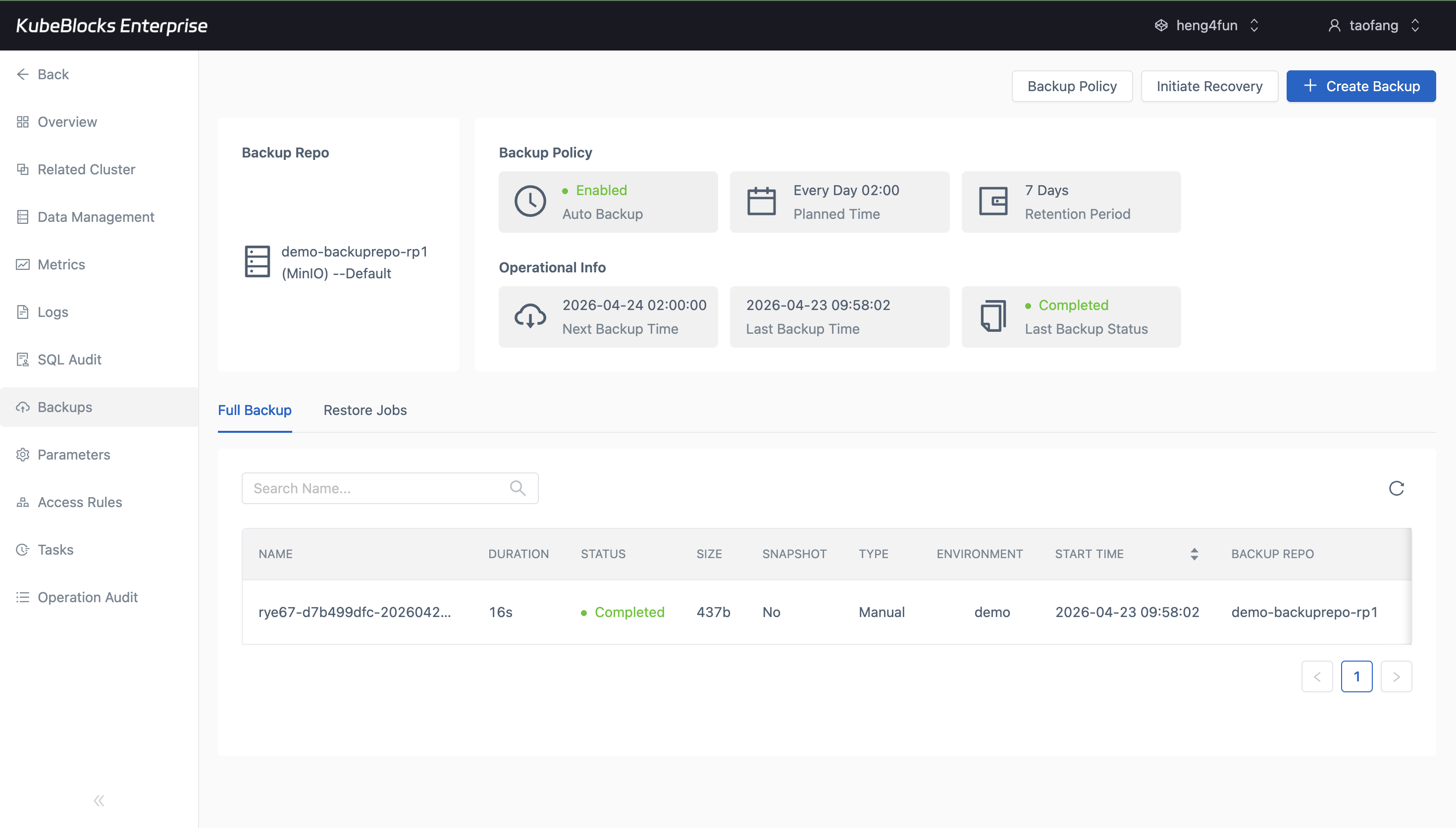
The Backups page combines ZooKeeper policy, repository, schedule, and completed backup evidence in one operational workspace.
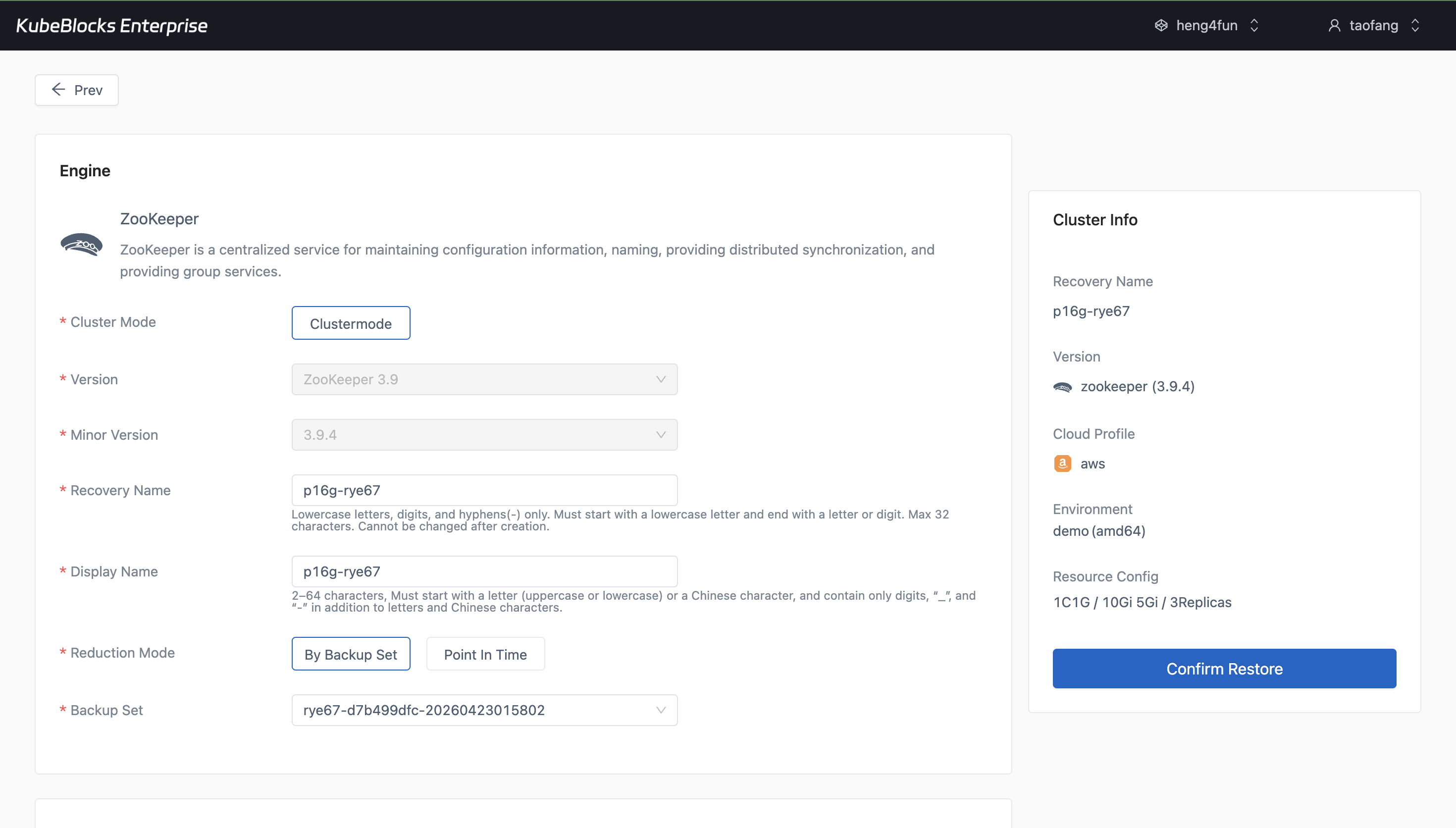
Restore turns a completed ZooKeeper backup set into a guided recovery flow without forcing users to recreate restore inputs by hand.
Protect ZooKeeper state with manual backup and guided restore
Keep backup policy, repository context, completed backup records, and restore entry points close to the running ZooKeeper service so recovery planning stays easy to validate.
- Review repository, policy, schedule, retention, and backup job status from the ZooKeeper backup workspace.
- Start a manual full backup and watch it move from running to completed without leaving the addon workflow.
- Open Restore from a completed backup set when validation or rollback planning requires a separate recovery path.
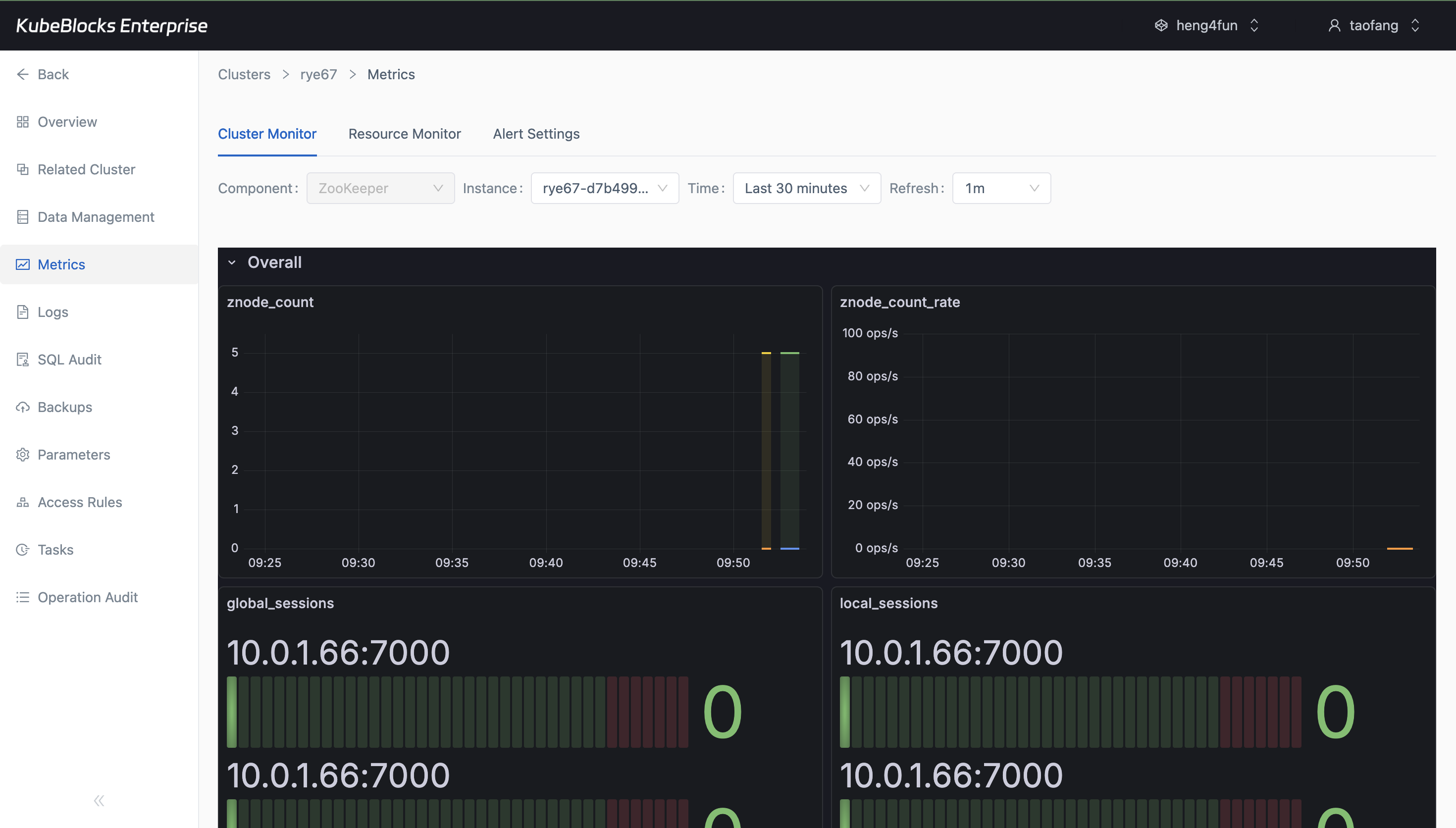
Cluster Monitor surfaces live ZooKeeper charts so teams can review quorum behavior and runtime signals from the same addon workspace.
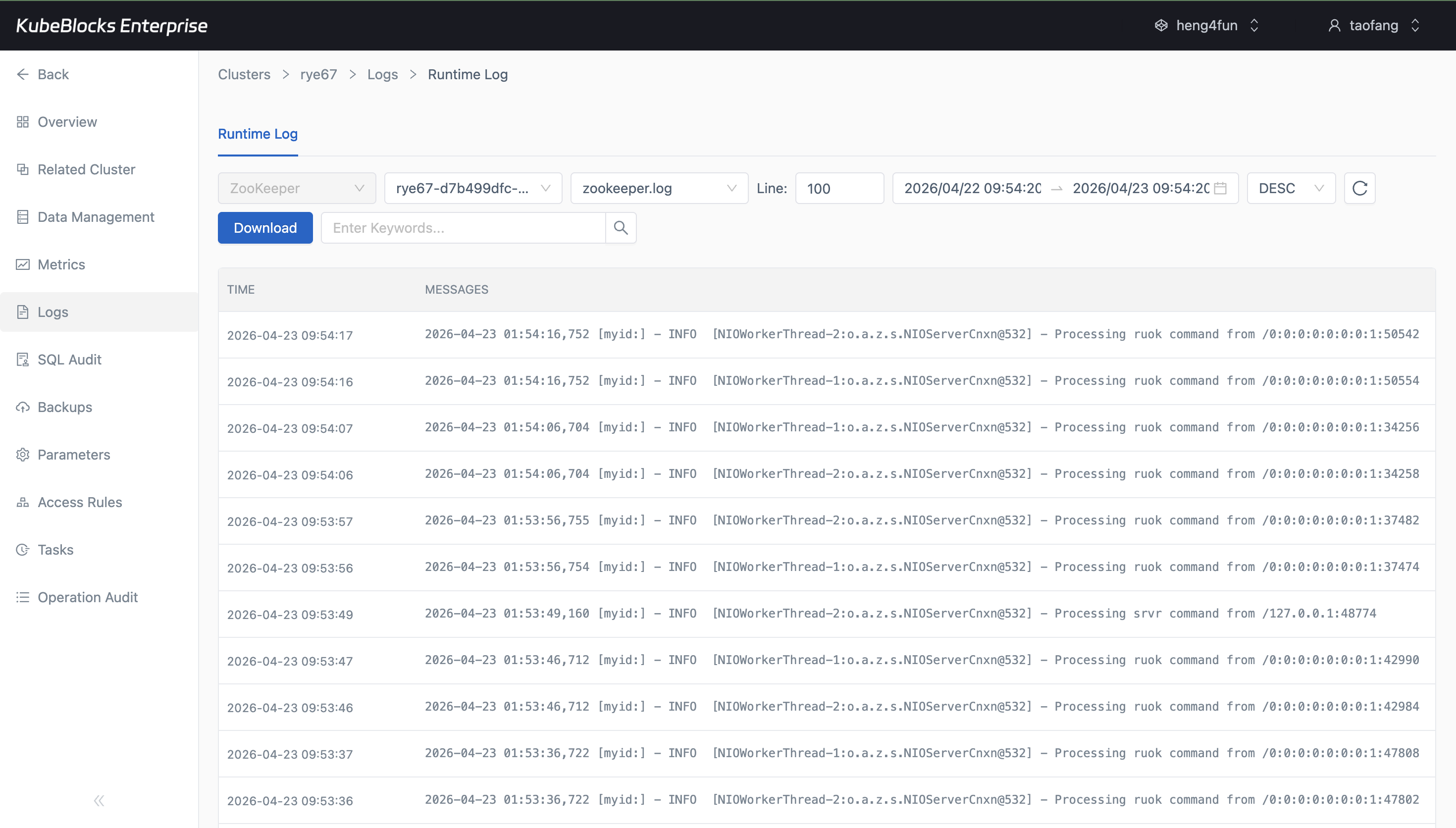
Runtime Log provides direct access to ZooKeeper service output when users need operational evidence instead of generic infrastructure logs.
Track quorum health with live metrics and runtime logs
Use Cluster Monitor for ZooKeeper runtime signals, then pivot into Runtime Log when users need member-level log evidence for troubleshooting or validation.
- Review znode, session, and runtime charts after the ZooKeeper metrics page hydrates with live data.
- Inspect real runtime log output from a selected member without leaving the cluster workspace.
- Keep observability close to lifecycle and recovery workflows so diagnosis happens in context.
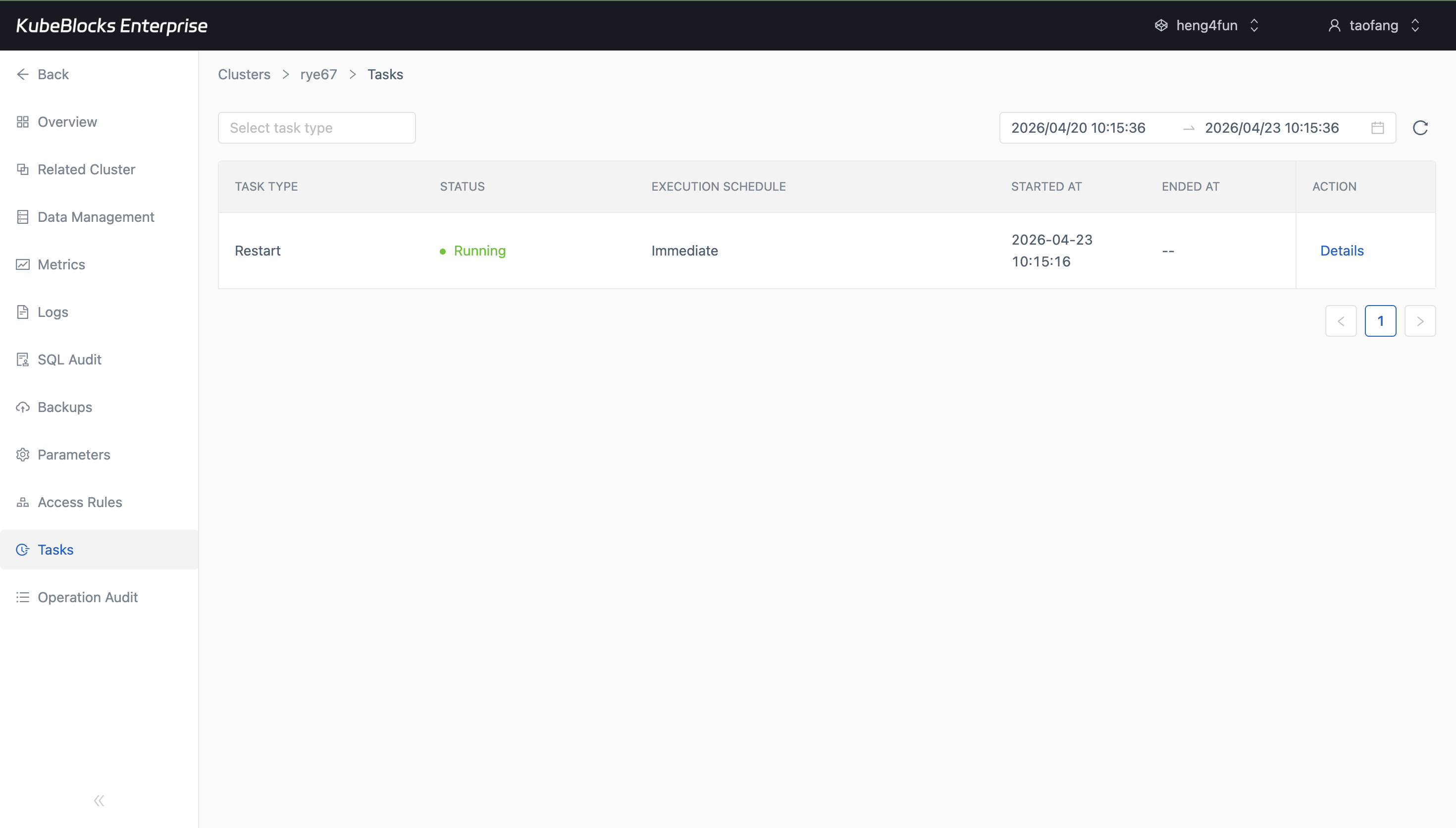
The Tasks page gives users a practical audit trail for ZooKeeper lifecycle work, including restart execution and status.
Review ZooKeeper operational history from task records
Task history keeps restart execution visible so teams can answer what changed, when it ran, and whether the operation completed successfully before handing the cluster back to users.
- Capture restart execution while it is running from the ZooKeeper task list.
- Confirm task completion status after the operation reaches `Succeed`.
- Keep a lightweight audit trail for lifecycle work without leaving the addon console.
Ready to build your own DBaaS on Kubernetes?
Talk to our team and see how KubeBlocks Enterprise can help you consolidate databases, strengthen security, and reduce operational costs.