

KubeBlocks for
MongoDB
MongoDB is the leading document-oriented NoSQL database, designed for flexibility and scalability. Its JSON-like document model, powerful aggregation framework, and horizontal scaling make it ideal for content management, IoT, and mobile applications.
Supported versions
Available on
 AWS
AWS Azure
Azure GCP
GCP OCI
OCI Alibaba Cloud
 Rancher
 OpenShift
Databases
 MySQL
MySQL PostgreSQLOracle
 SQL Server
 Redis
Redis MongoDB
 ClickHouse
Vector & AI
 Qdrant
 Milvus
 Elasticsearch
Message queues
 RocketMQ
 RabbitMQ
 Kafka
KafkaOthers
 VictoriaMetrics
 InfluxDB
 etcd
etcd ZooKeeper
Extend database engines like plug-ins
KubeBlocks provides unified database operations through its addon-based architecture. With KubeBlocks Enterprise, access over 15 seamless integrations to scale your database services.
One control plane, consistent operations across all engines — powered by the addon mechanism.
Run MongoDB with real lifecycle, availability, access, and account workflows
Operate MongoDB through lifecycle, high availability, scaling, tuning, backup, observability, accessibility, audit, and data-management workflows, with every section anchored to real console evidence.
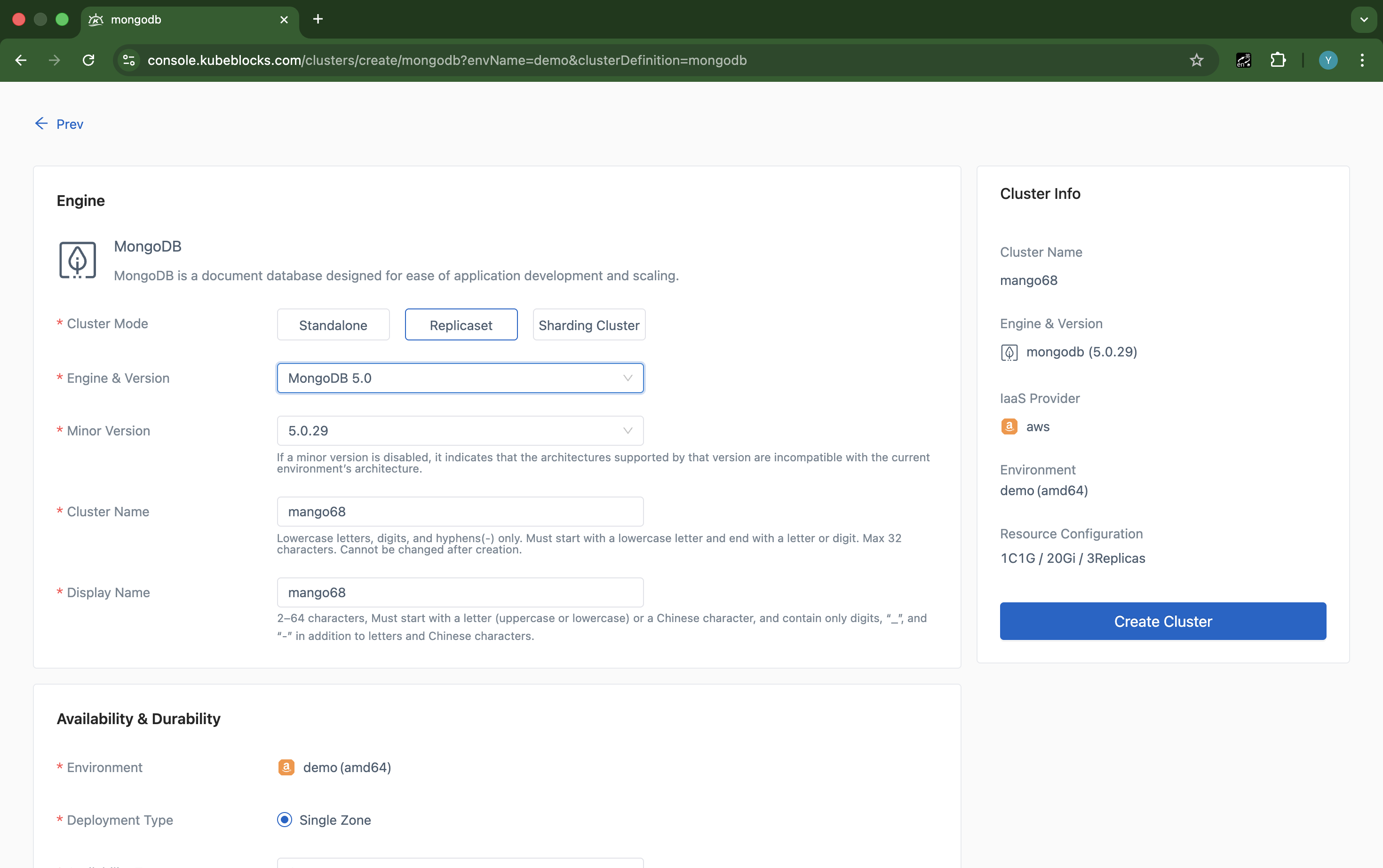
The create wizard helps users shape MongoDB clusters with the mode, version, sizing, storage, and protection settings they need before launch.
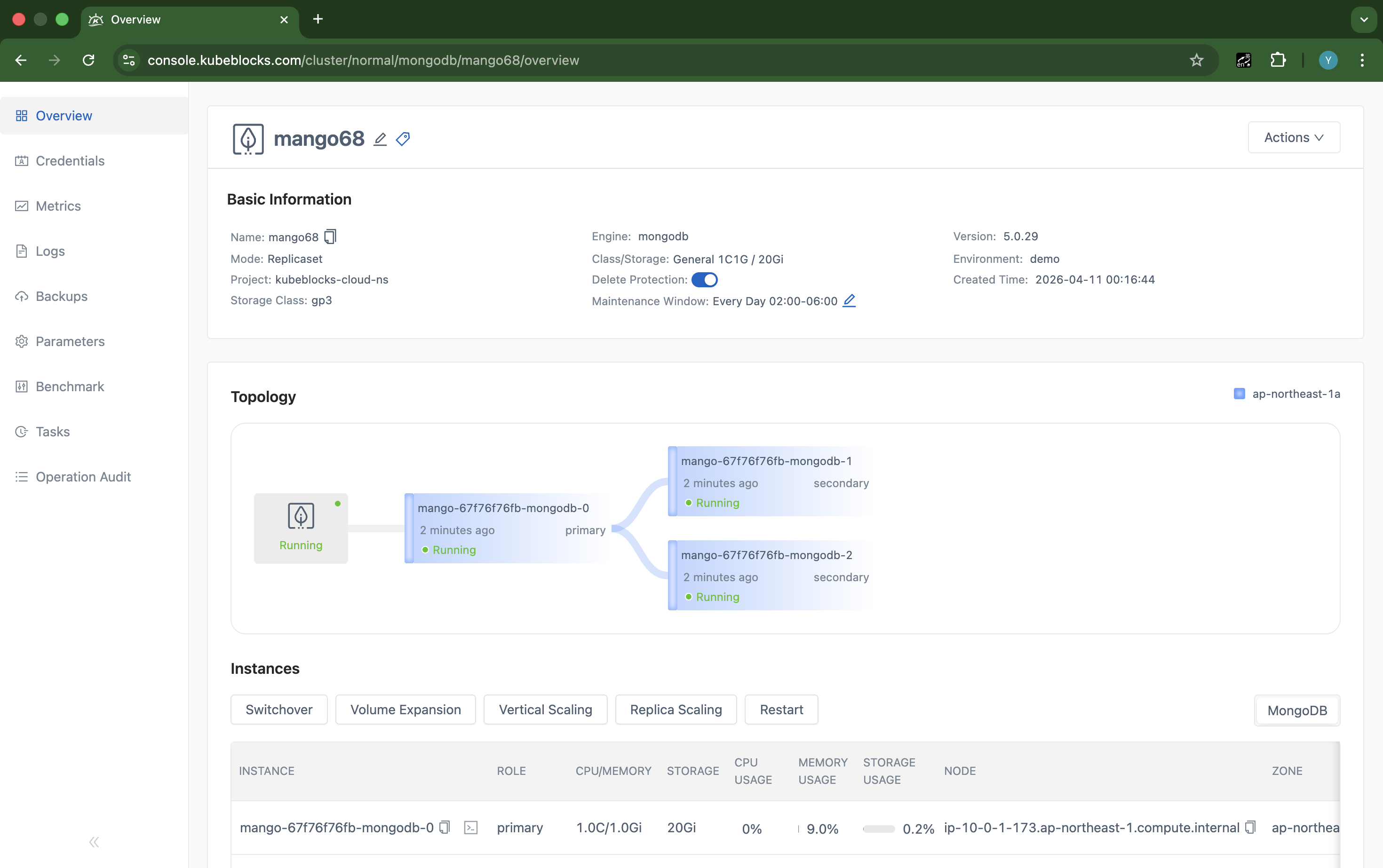
The overview keeps topology, role layout, resource class, and runtime status visible as soon as MongoDB is online.
Launch MongoDB clusters and keep lifecycle control in one workspace
Give teams a consistent path from initial provisioning to routine maintenance by keeping MongoDB creation, runtime topology, and lifecycle actions close to the running service.
- Use the create wizard to choose MongoDB mode, engine version, replica count, compute profile, storage, and backup settings before the cluster is provisioned.
- Land on a running overview that keeps primary and secondary roles, resource sizing, and service status visible for day-2 operations.
- Handle restart, stop, start, and cleanup tasks from the MongoDB cluster context instead of switching between separate tools.
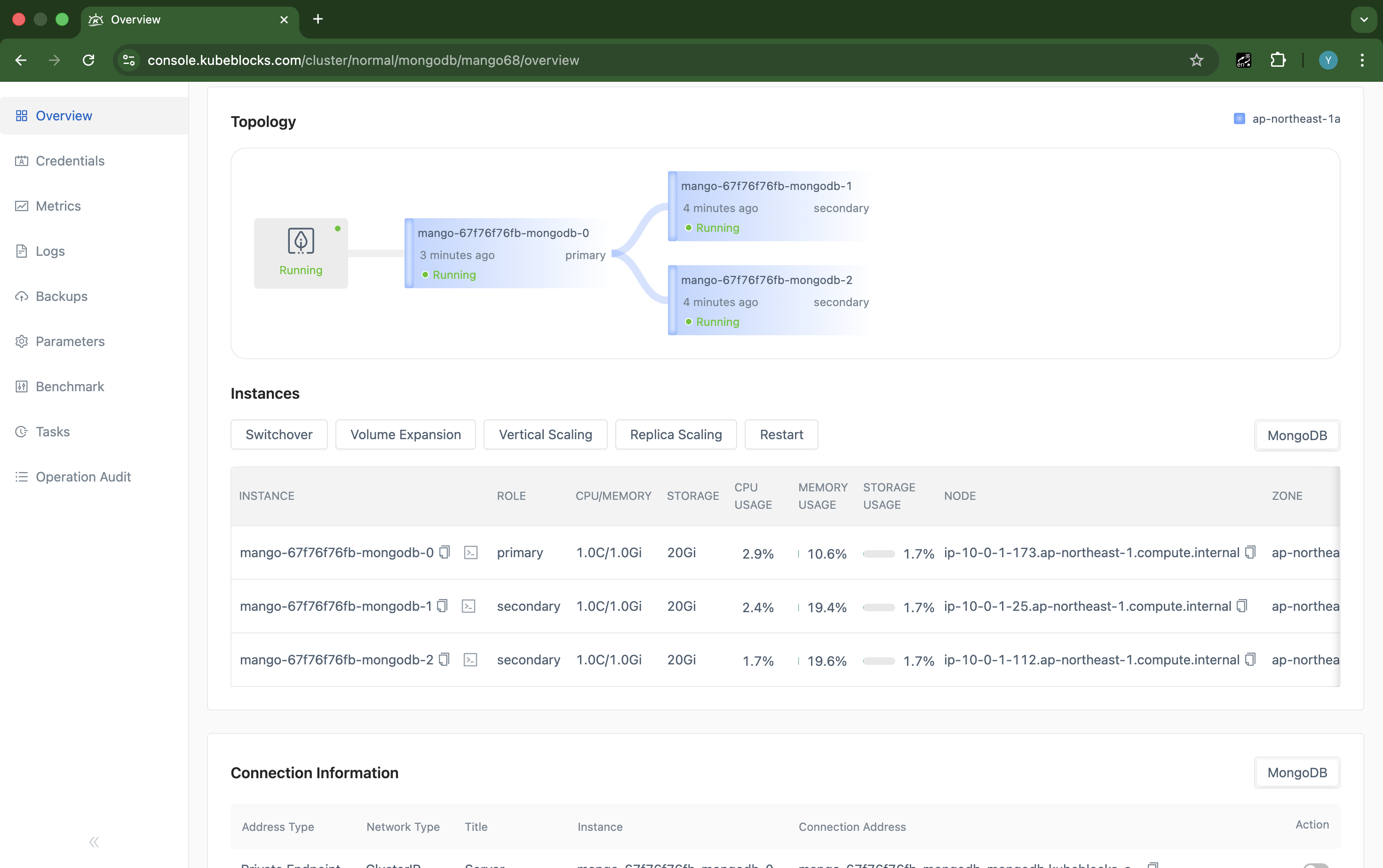
StepDown keeps the resulting primary and secondary layout visible on the MongoDB topology for fast post-change validation.
Perform planned primary changes with replica roles still in view
Execute planned MongoDB primary transitions from a topology-aware workflow so users can validate the new leader without guesswork.
- Run StepDown from the live MongoDB workspace when maintenance or planned leader movement is required.
- Confirm which member becomes the new primary as soon as the election completes.
- Keep high-availability operations separate from scaling, backup, and observability workflows for clearer execution.
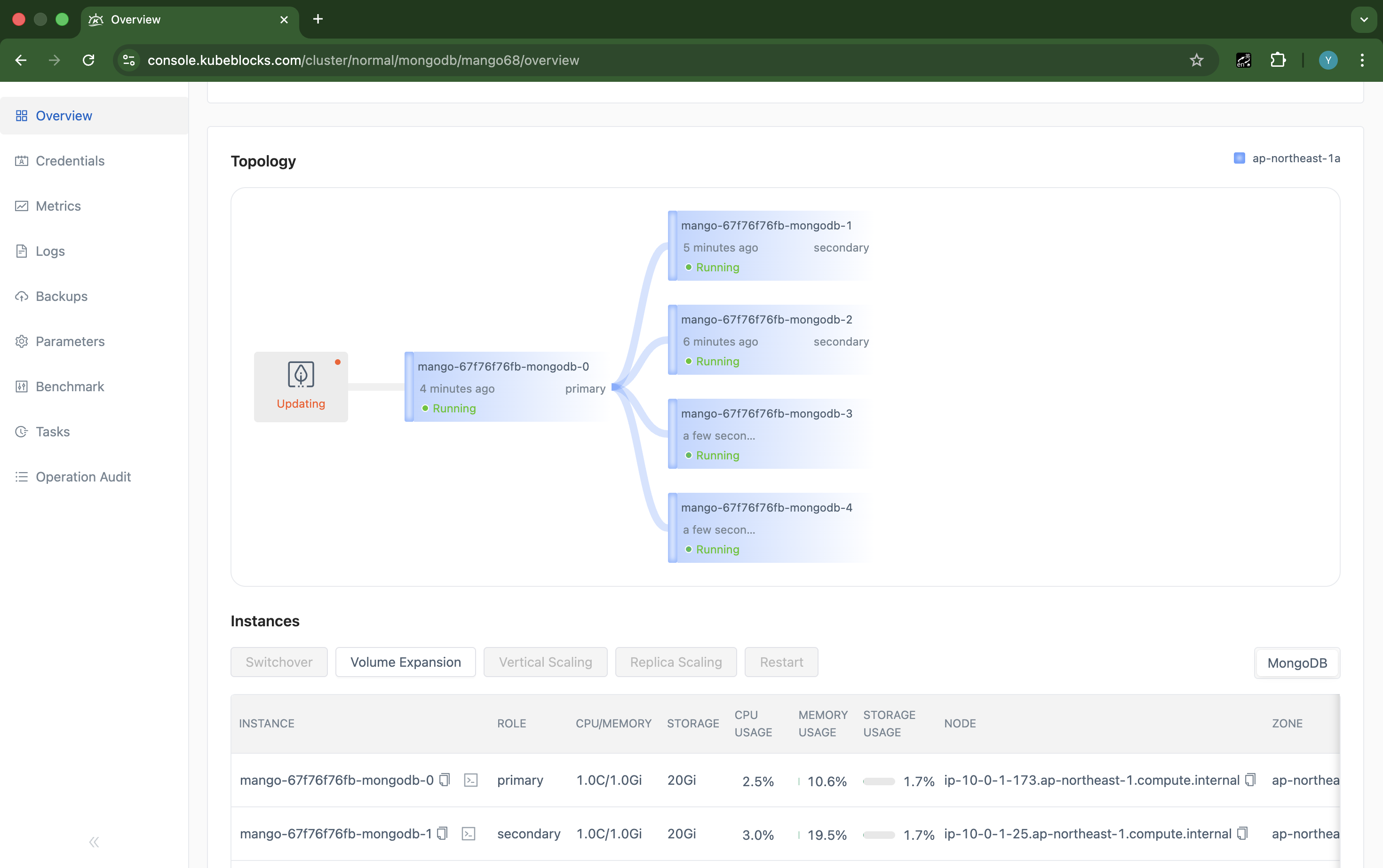
Scaling makes MongoDB replica growth visible from the cluster workspace instead of hiding it behind infrastructure steps.
Expand replica capacity from the same MongoDB control path
Scale MongoDB replica capacity from the running cluster view so teams can grow resilience and read throughput without dropping into infrastructure tooling.
- Open MongoDB scaling from the live cluster workspace when replica capacity needs to change.
- Track replica-count adjustments and synchronization progress in the same context used for ongoing operations.
- Keep resource growth tied to the service view that teams already use for health checks and maintenance.
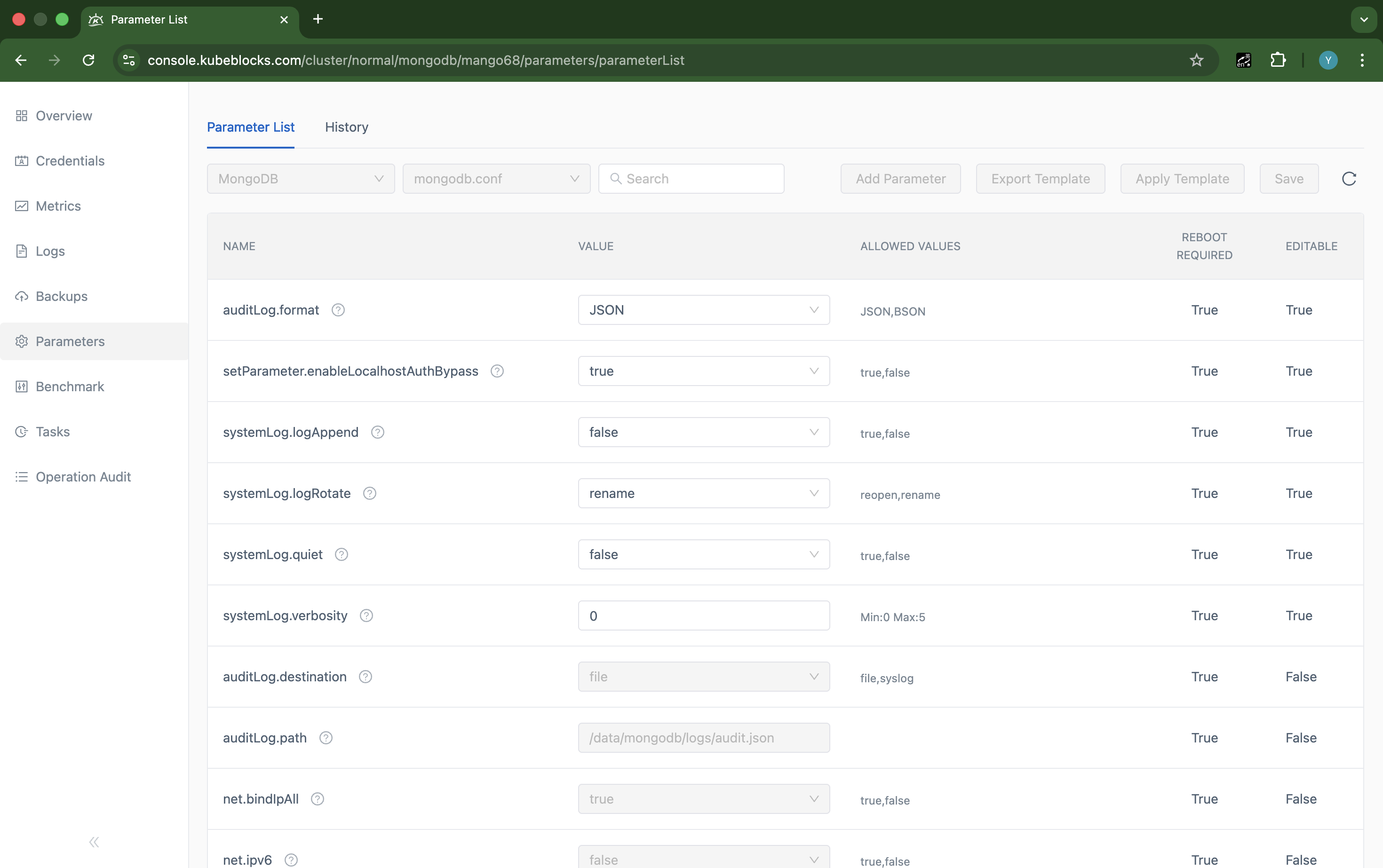
The Parameters page helps users verify MongoDB configuration exposure before they schedule runtime tuning work.
Review MongoDB runtime settings from a dedicated parameter workflow
Keep configuration review separate from topology and lifecycle operations so users can see which MongoDB runtime settings are exposed before making changes.
- Open the Parameters page directly from the MongoDB cluster workspace when reviewing runtime configuration scope.
- Validate which parameters are exposed for the current deployment before planning configuration changes.
- Keep tuning activity inside the same console experience used for lifecycle, scaling, and recovery work.
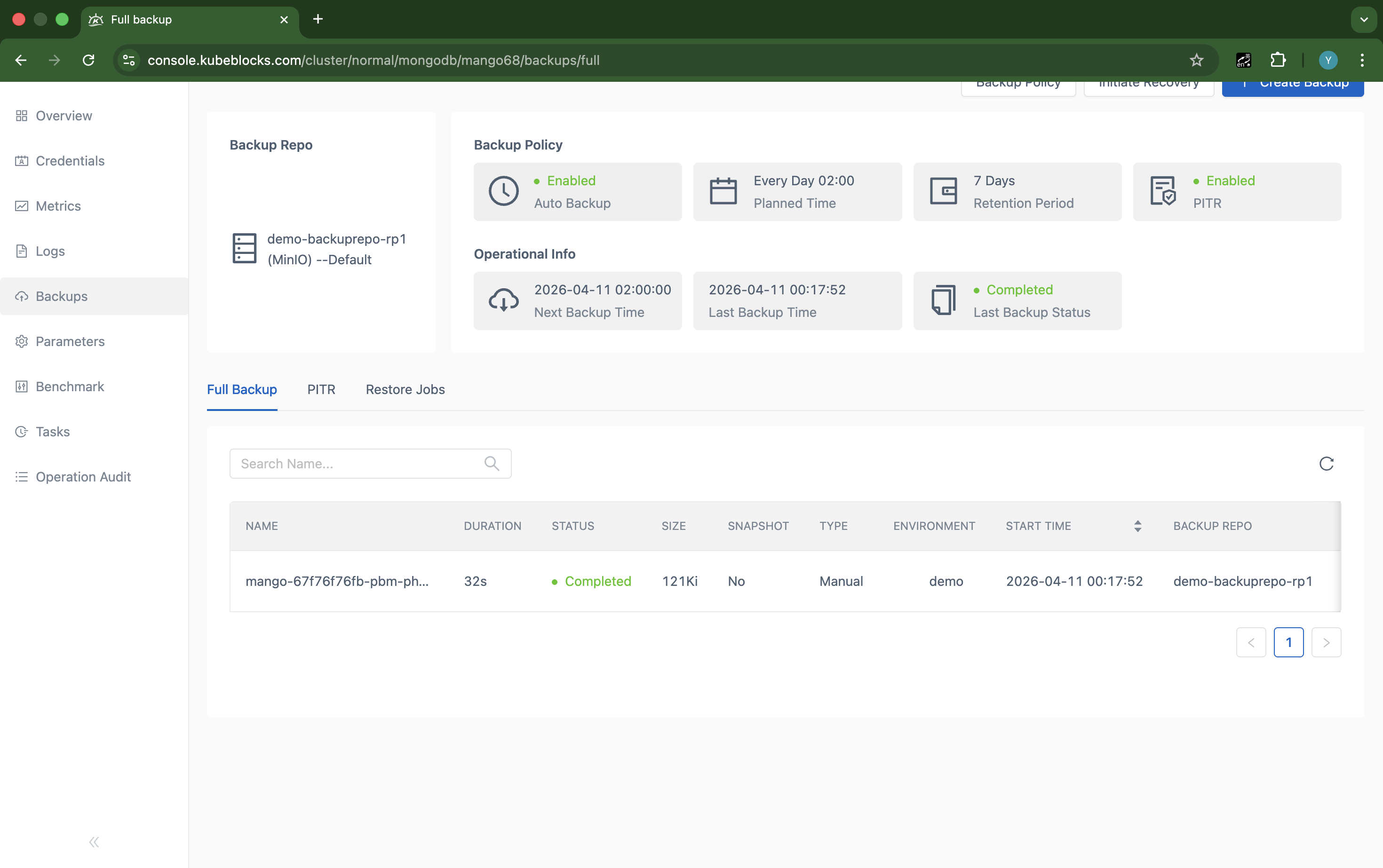
The Backups page keeps MongoDB protection status, backup size, and repository context visible from the same operational workspace.
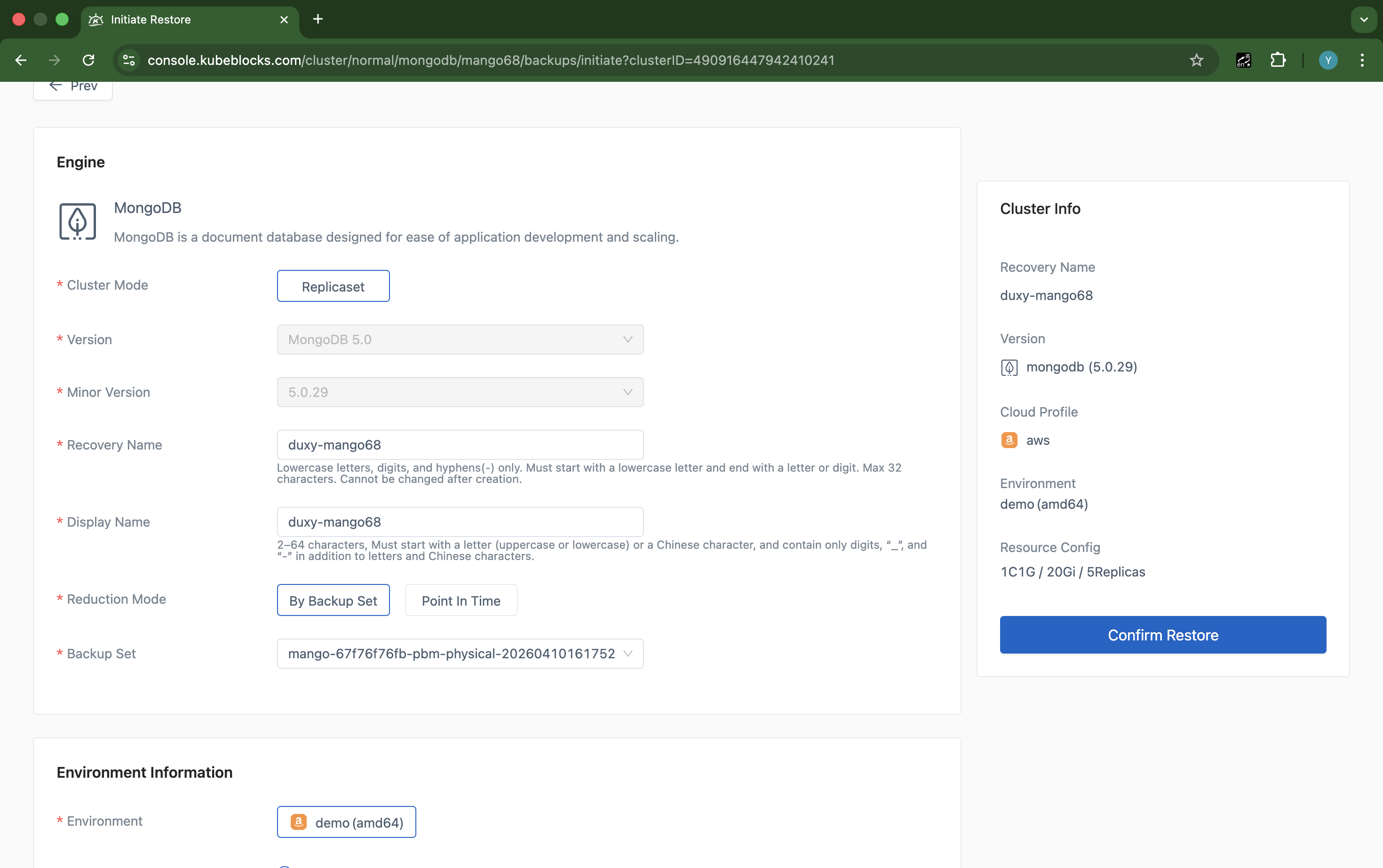
The restore wizard guides users through MongoDB recovery settings step by step when validation or incident readiness is required.
Protect MongoDB replica sets with built-in backup and restore flows
Keep backup status and recovery planning inside the addon workflow so teams can validate protection points and open restore paths from the same MongoDB workspace.
- Review completed backups together with size, status, and repository context from the MongoDB backup page.
- Open the restore flow with a real backup set already selected when recovery validation is needed.
- Treat backup and restore as first-class MongoDB workflows instead of external runbooks.
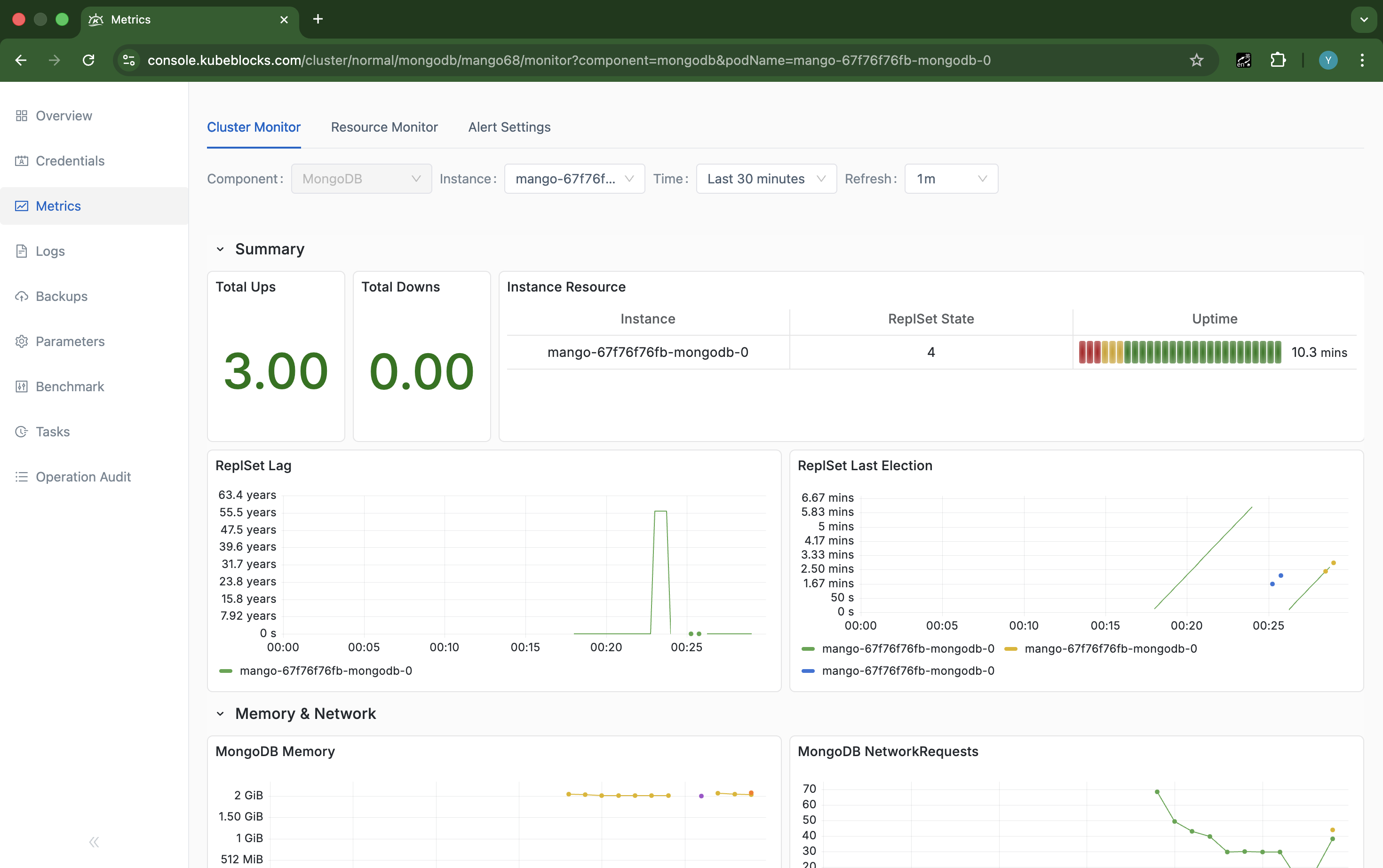
Metrics bring MongoDB health and resource trends into the console so users can review runtime behavior without leaving cluster context.
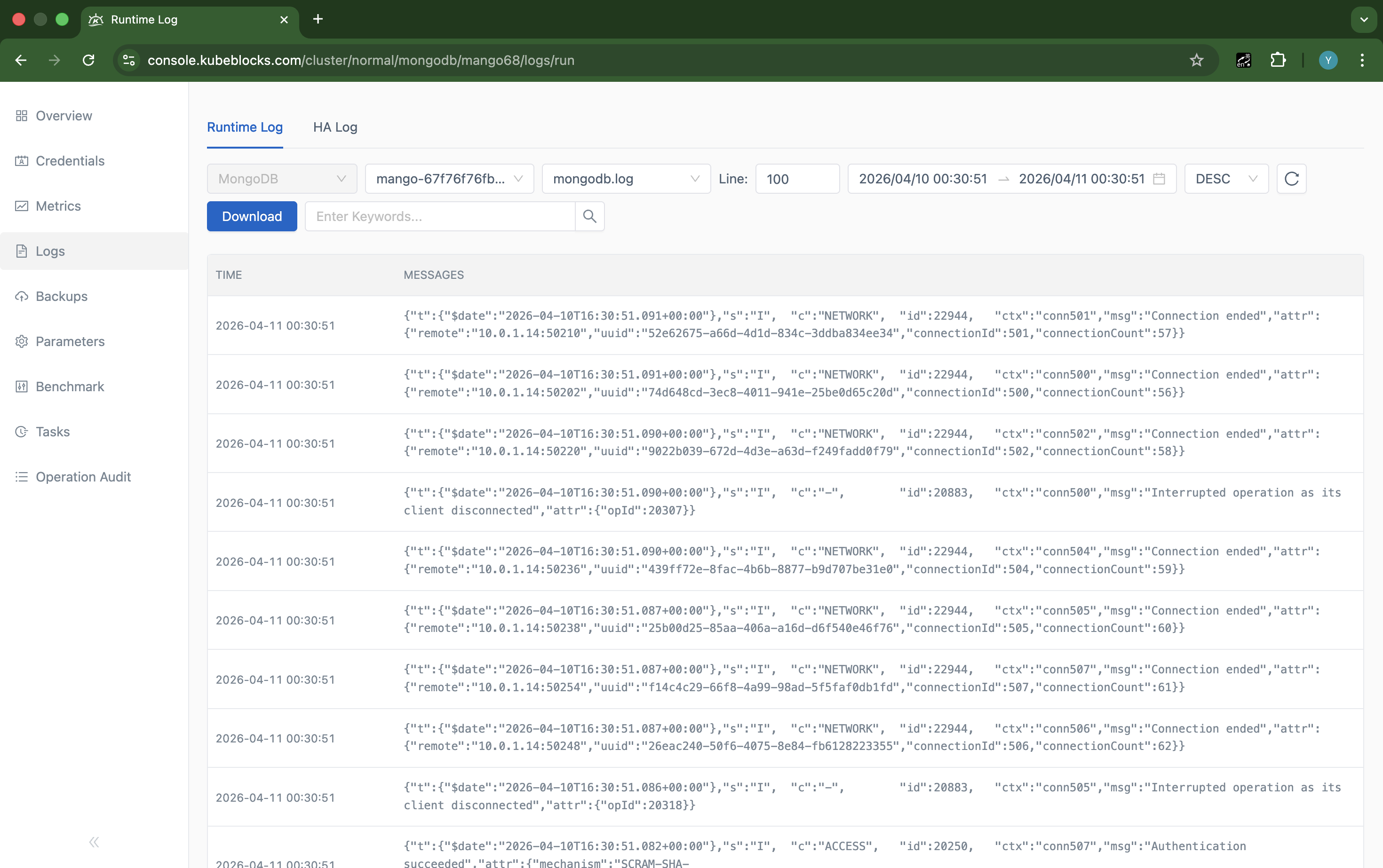
Logs surface real MongoDB service activity for faster troubleshooting during maintenance and incident review.
Inspect MongoDB health through built-in metrics and logs
Monitor replica-set health, resource usage, and runtime events from the same control plane used for everyday MongoDB operations.
- Use Cluster Monitor to review MongoDB health, filters, and resource trends from the real cluster context.
- Inspect Runtime Log for live MongoDB service activity when diagnosing operational issues.
- Keep metrics and logs close to lifecycle and scaling controls so troubleshooting stays efficient.
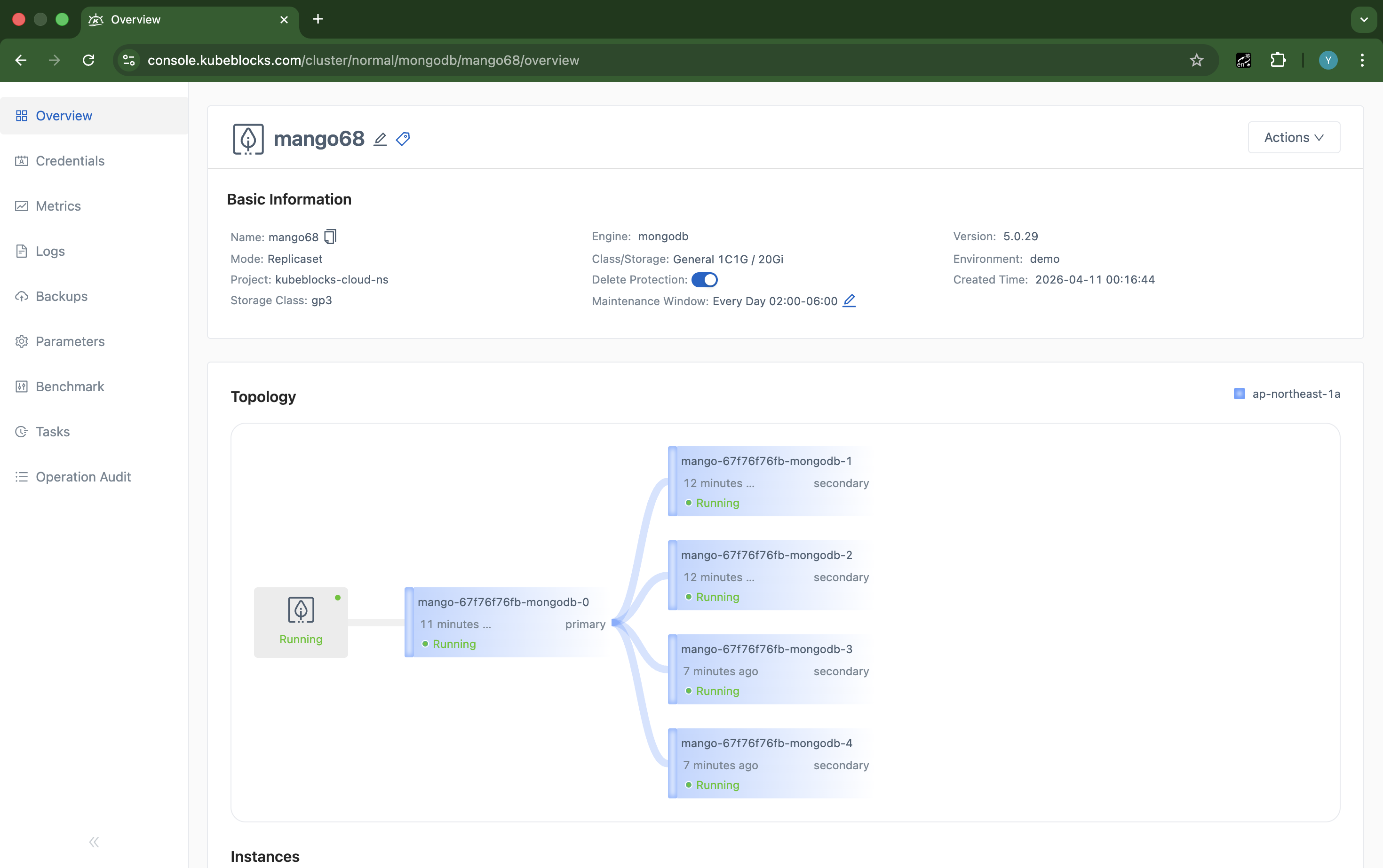
Connection Information shows both private and public MongoDB endpoints in one place, including the generated external LoadBalancer address used for access handoff.
Enable external MongoDB access and review endpoint exposure clearly
Manage connection exposure from the MongoDB overview so users can see how private and public endpoints are delivered before handing access to application teams.
- Review private ClusterIP connectivity and public endpoint state from the same `Connection Information` workflow.
- Enable a public LoadBalancer endpoint through the console and verify the generated external address after provisioning completes.
- Keep connection visibility close to the running MongoDB topology so access handoff is easier to validate.
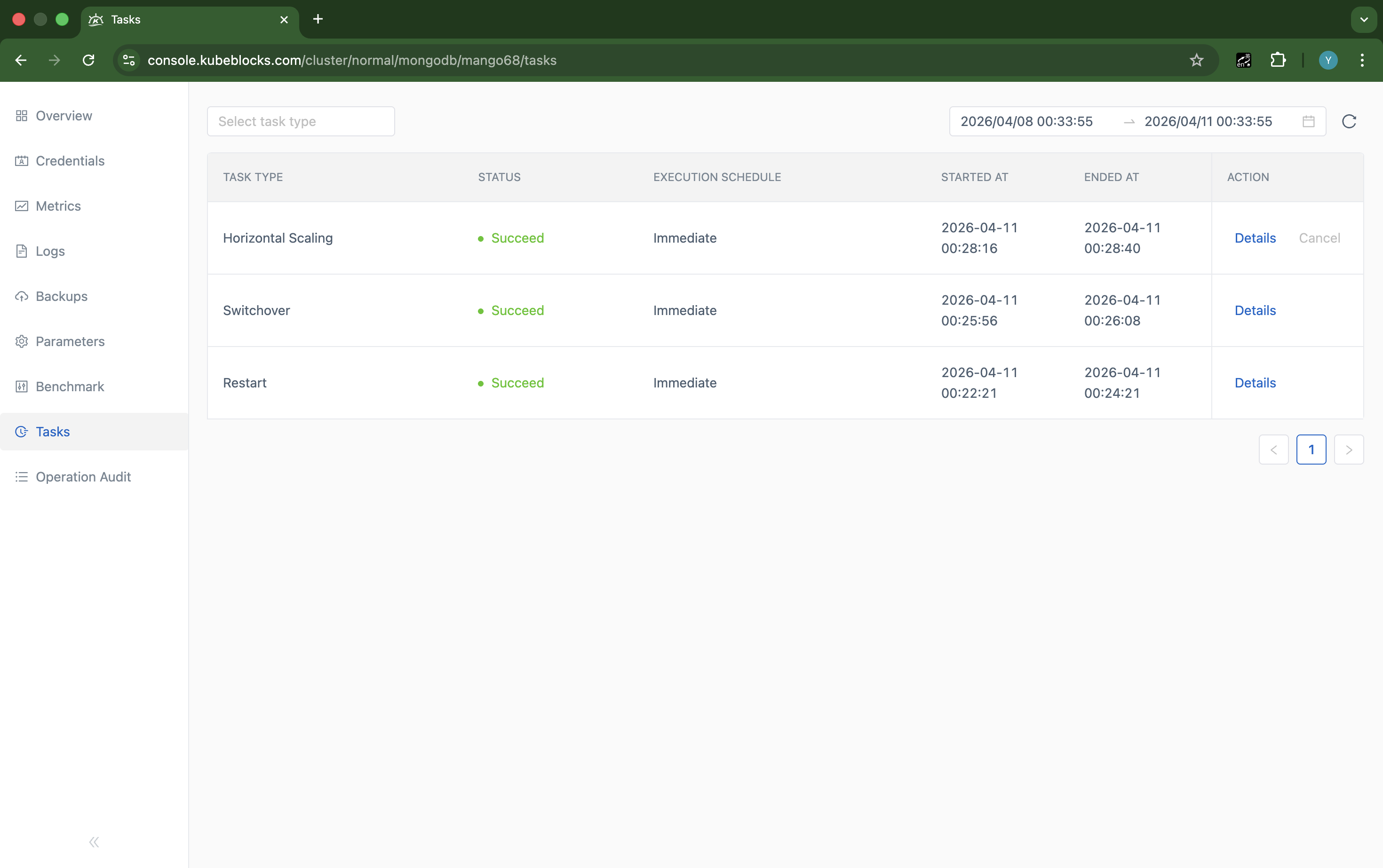
Task history turns MongoDB maintenance and topology changes into a clear operational record for later review.
Track MongoDB maintenance history from the task record
Keep a clear execution trail for MongoDB maintenance and topology changes so teams can review what ran, when it ran, and which actions completed successfully.
- Review scaling, StepDown, restart, and related operational records from the Tasks page.
- See status and timing details for completed MongoDB workflows in one place.
- Improve post-change review and accountability with a persistent task history.
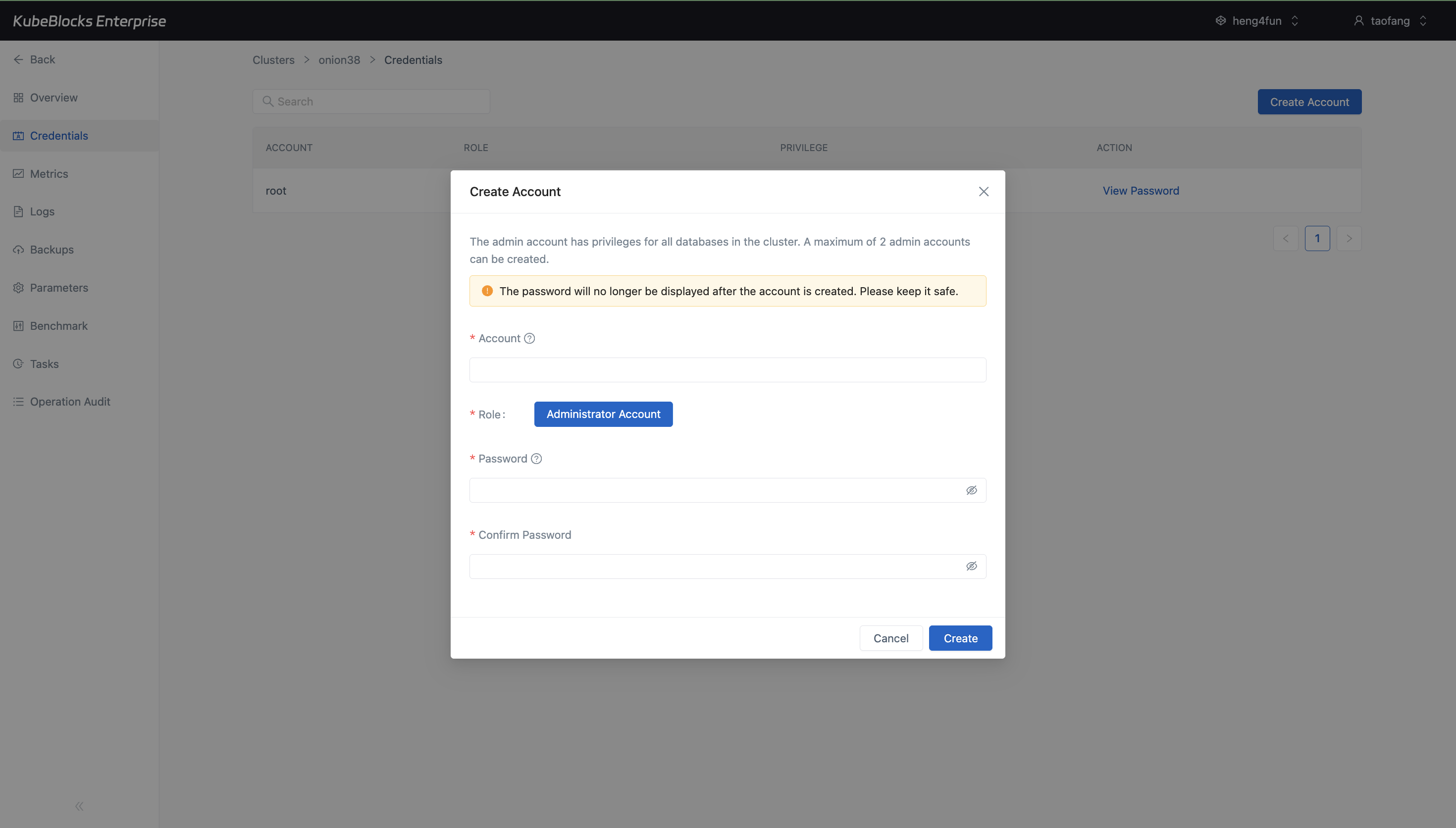
The Credentials workspace lets users open a real Create Account flow for MongoDB without leaving the addon console.
Manage MongoDB accounts directly from the Credentials workspace
Support application onboarding with the account-management workflow that is currently exposed in the MongoDB console, keeping credential creation close to the running service.
- Review existing MongoDB accounts and their privilege level from the `Credentials` page.
- Open the `Create Account` flow to provision new application or admin access from the same MongoDB workspace.
- Keep credential management in-console so teams can hand off access without leaving the cluster context.
Want full Day-2 operations on Kubernetes? Supported by KubeBlocks MongoDB Kubernetes Operator →
Ready to build your own DBaaS on Kubernetes?
Talk to our team and see how KubeBlocks Enterprise can help you consolidate databases, strengthen security, and reduce operational costs.