

KubeBlocks for
Redis
Redis is an open-source, in-memory data store used as a database, cache, message broker, and streaming engine. Its sub-millisecond latency and rich data structures make it essential for real-time applications, session management, and leaderboards.
Supported versions
Available on
 AWS
AWS Azure
Azure GCP
GCP OCI
OCI Alibaba Cloud
 Rancher
 OpenShift
Databases
 MySQL
MySQL PostgreSQLOracle
 SQL Server
 Redis
Redis MongoDB
 ClickHouse
Vector & AI
 Qdrant
 Milvus
 Elasticsearch
Message queues
 RocketMQ
 RabbitMQ
 Kafka
KafkaOthers
 VictoriaMetrics
 InfluxDB
 etcd
etcd ZooKeeper
Extend database engines like plug-ins
KubeBlocks provides unified database operations through its addon-based architecture. With KubeBlocks Enterprise, access over 15 seamless integrations to scale your database services.
One control plane, consistent operations across all engines — powered by the addon mechanism.
Run Redis through real lifecycle, availability, scaling, and recovery workflows
Operate Redis through lifecycle, high availability, scaling, tuning, backup, observability, accessibility, audit, and data management workflows backed by real KubeBlocks Enterprise screenshots.
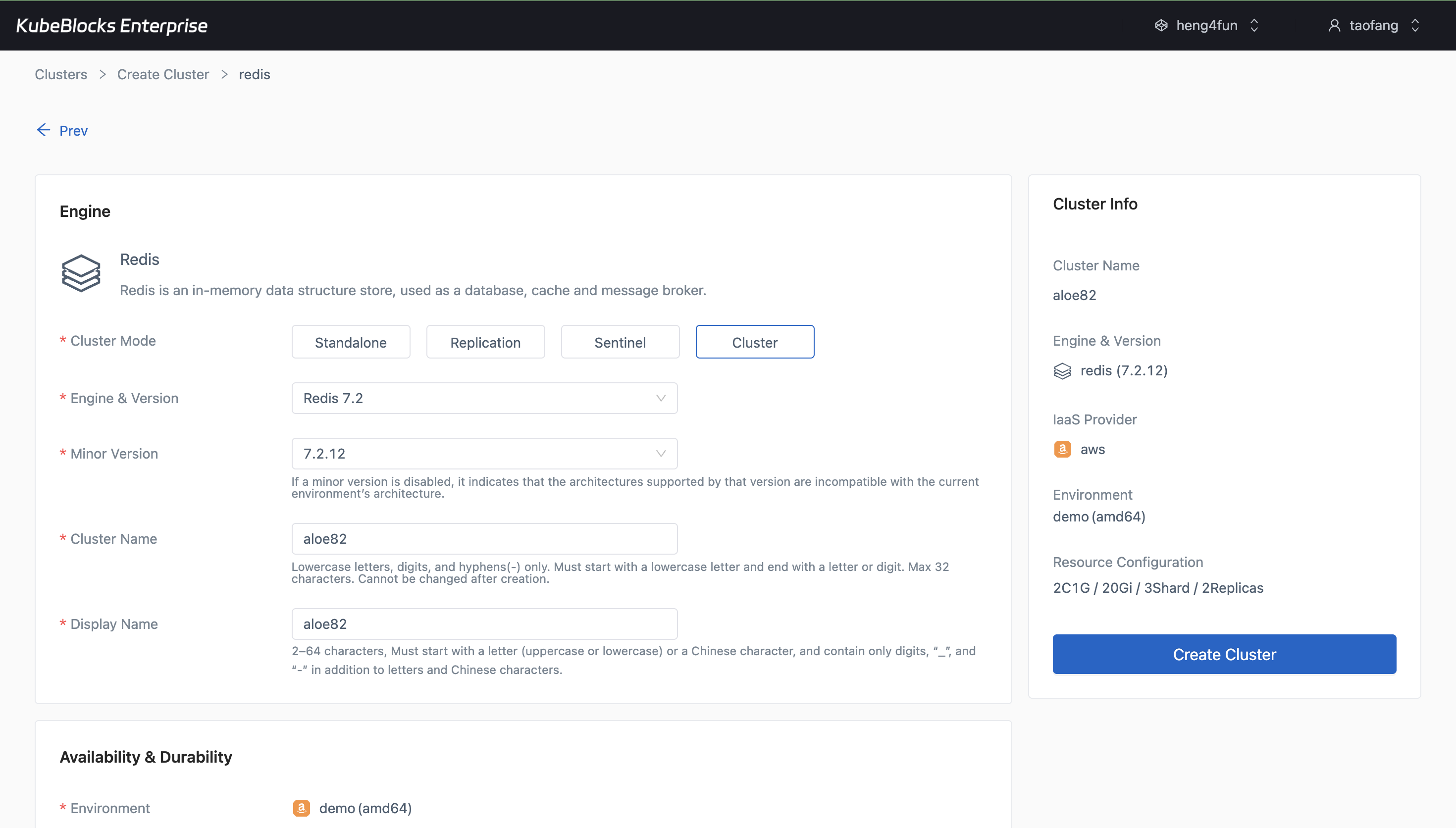
The create wizard lets users choose the Redis mode, version, shards, replicas, and baseline resources before the cluster is created.
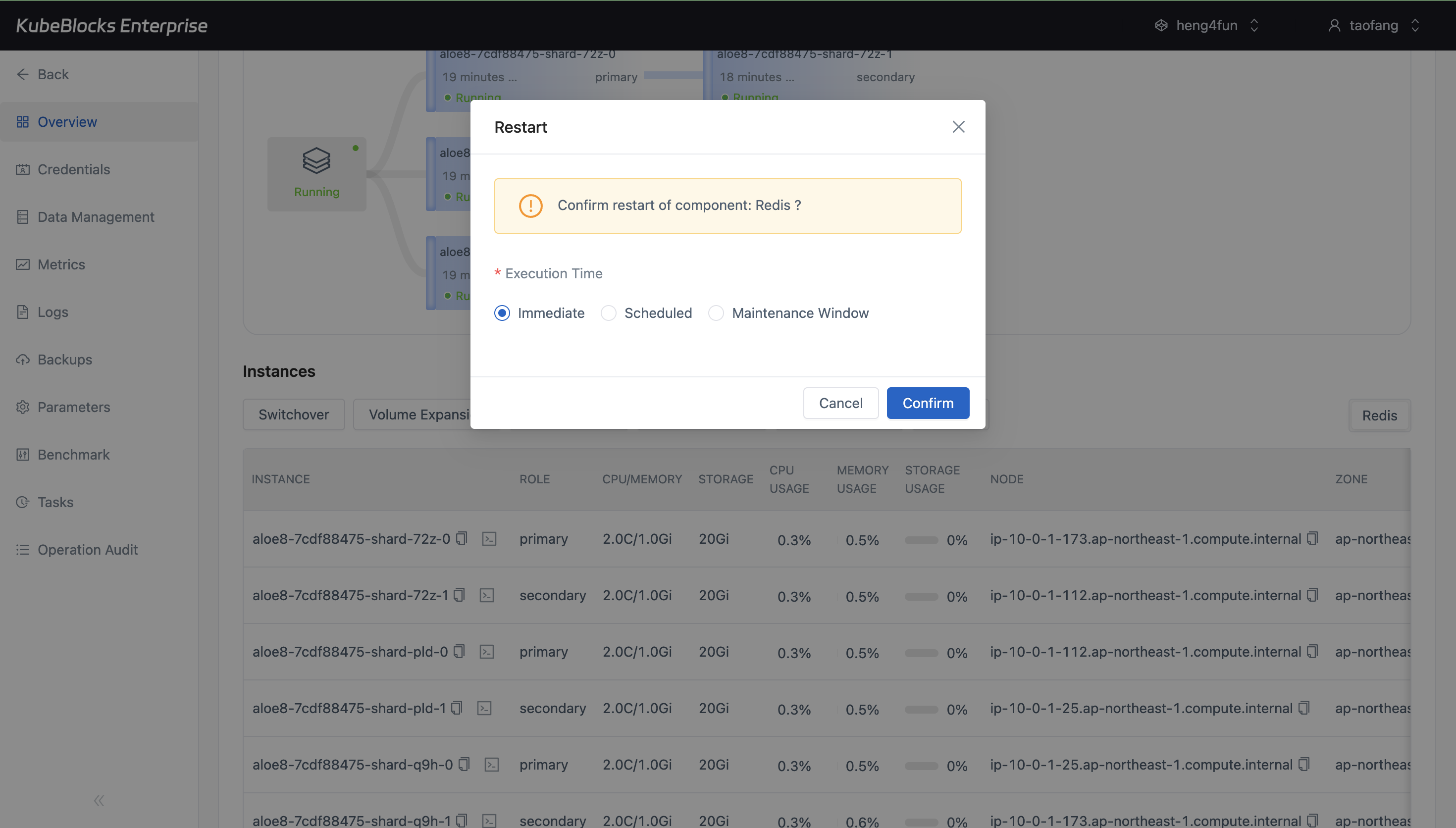
Lifecycle actions stay close to the running cluster so users can restart Redis with clear execution timing and confirmation controls.
Deploy Redis clusters and handle routine lifecycle changes from one console
Launch Redis with the version, topology, and baseline resources your workload needs, then restart, stop, or start the service with clear status visibility throughout each step.
- Create Redis in Cluster, Replication, Sentinel, or Standalone mode with version, shard, replica, resource, and storage choices selected up front.
- Use in-console restart, stop, and start actions when users need planned lifecycle changes.
- Follow cluster status, topology progress, and runtime details from the overview after provisioning.
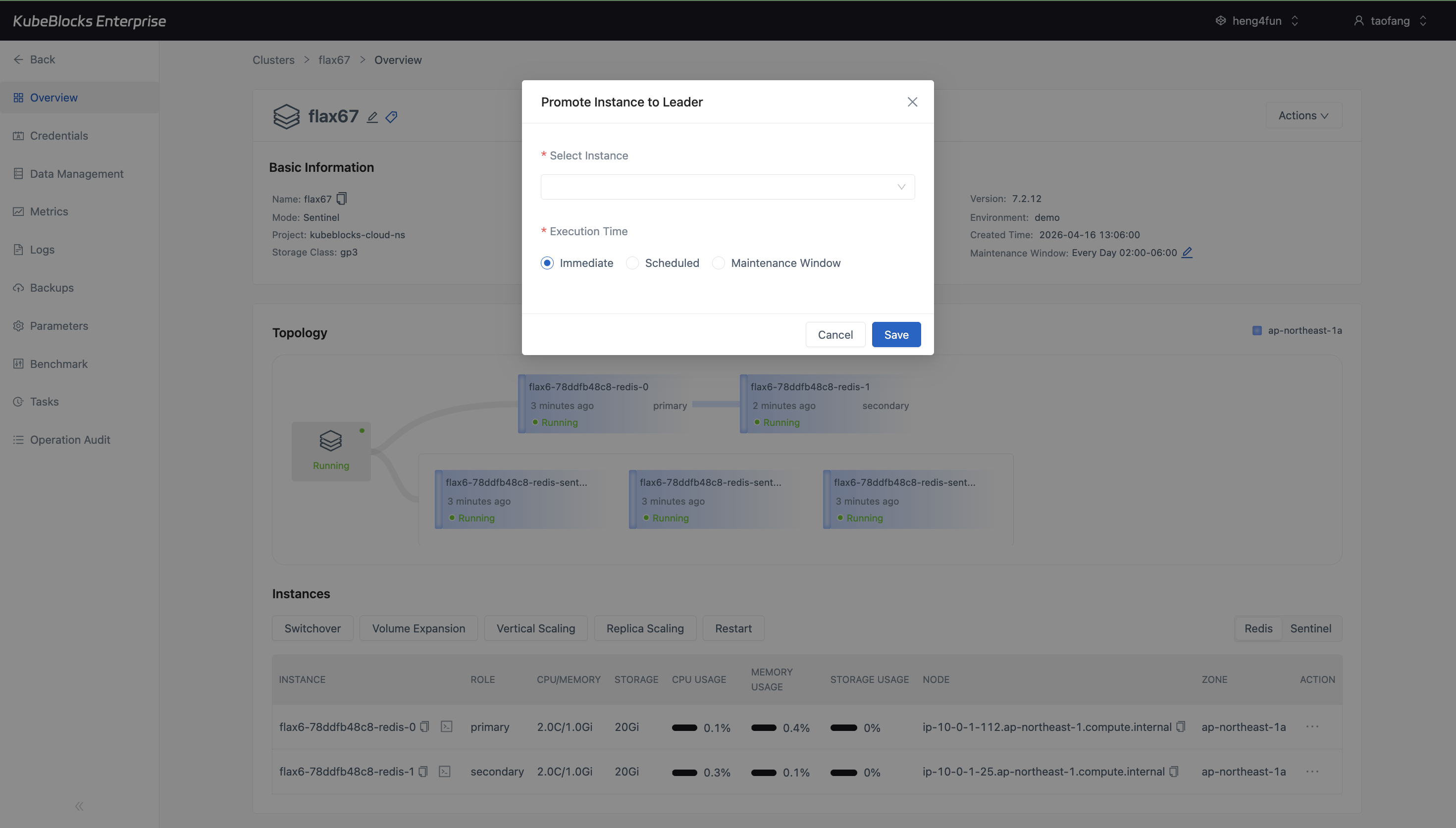
The Sentinel switchover flow lets users promote a specific replica to leader with clear execution controls before the task starts.
Run planned Redis Sentinel switchover with explicit leader promotion controls
Use Redis Sentinel switchover to promote a selected secondary to leader when users need controlled failover, maintenance, or role verification without leaving the console.
- Open Switchover from the Sentinel overview once primary and secondary roles are healthy.
- Choose the target secondary instance and run the promotion immediately or during a planned window.
- Verify leader changes in the topology view after the switchover task completes.
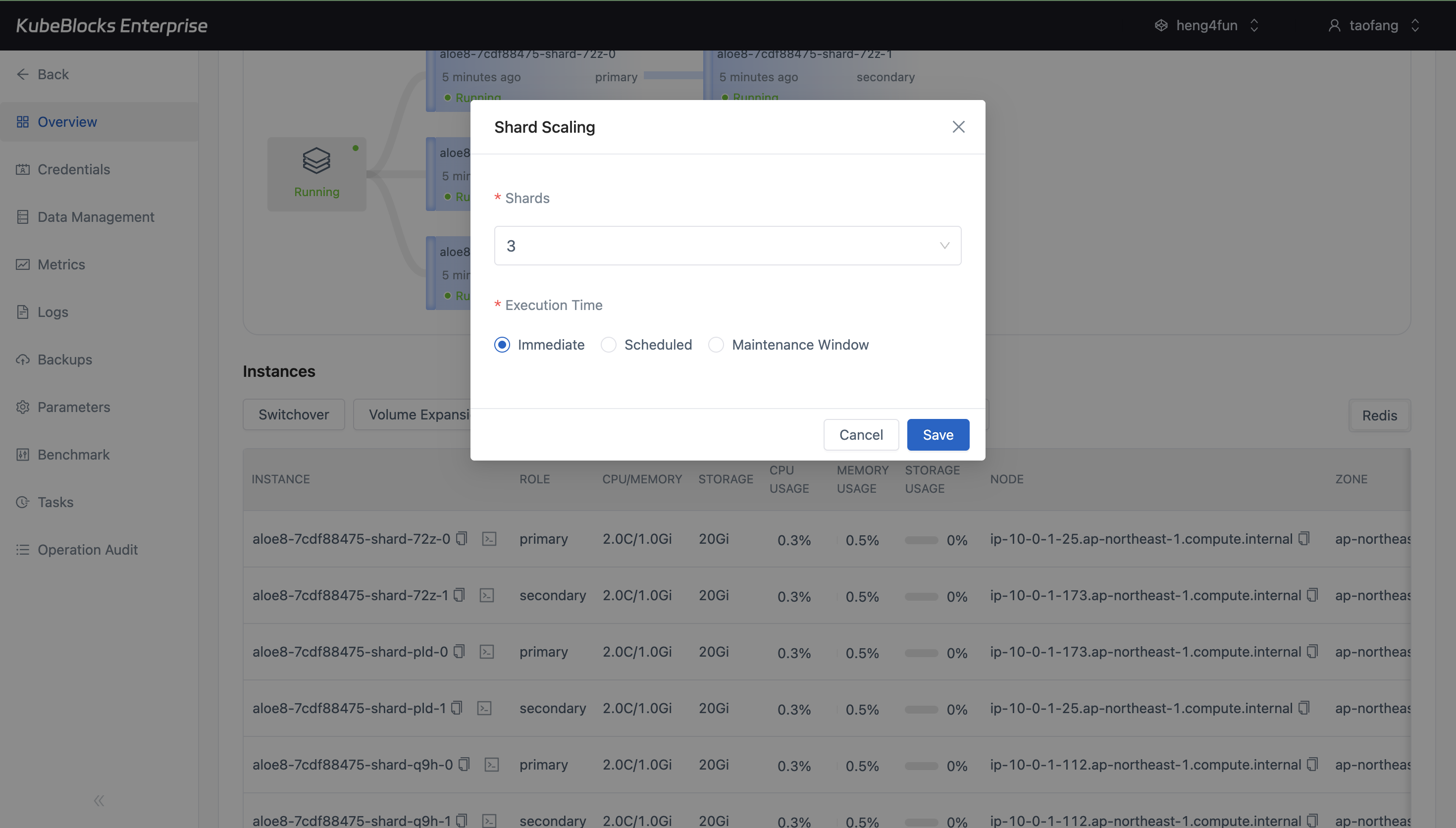
Vertical Scaling gives users a clear way to move Redis to a larger compute profile when application demand increases.
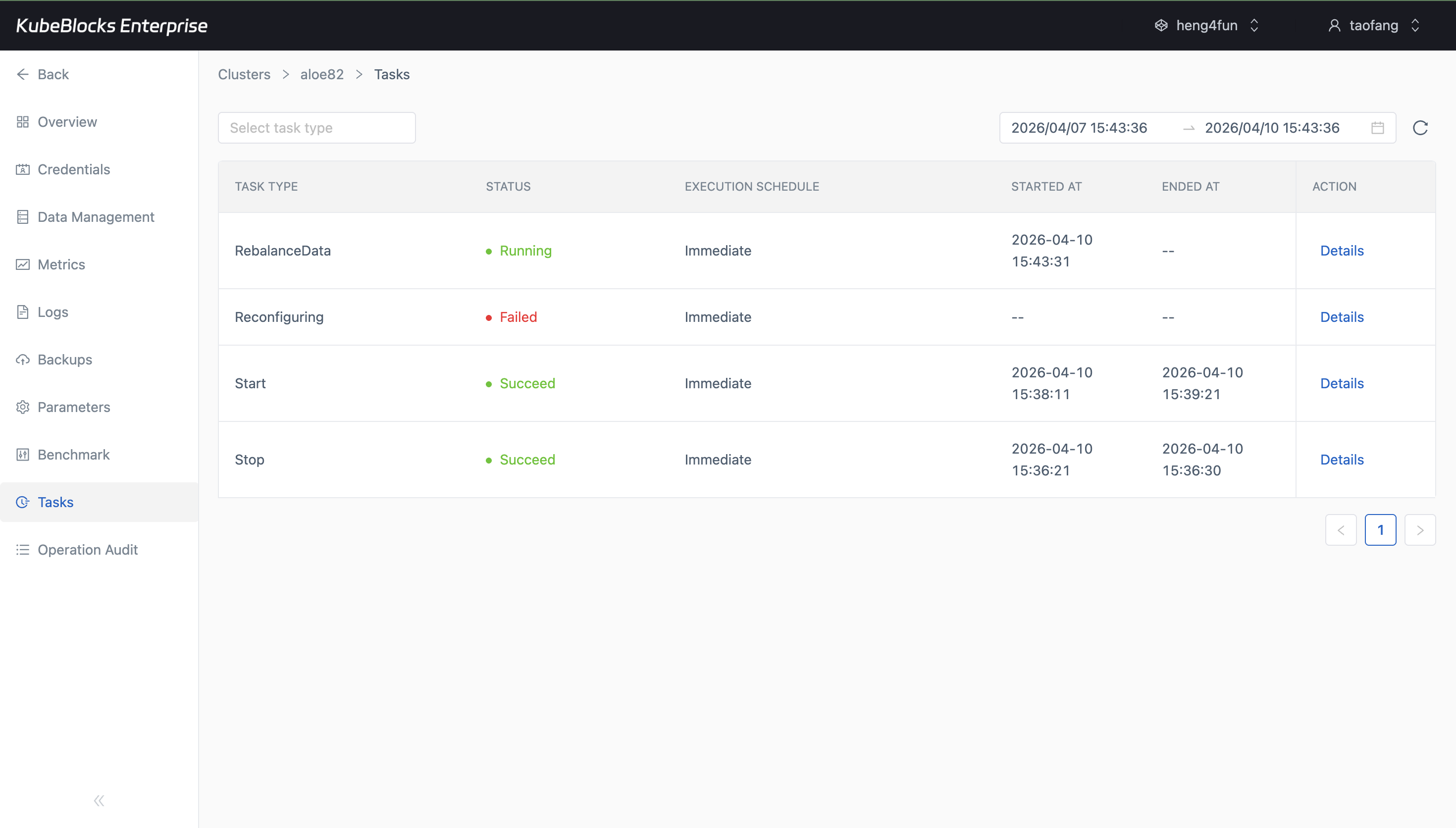
The Rebalance action stays available at the cluster level so users can redistribute Redis Cluster data after topology changes without hunting for a separate workflow.
Expand Redis capacity and rebalance data without leaving the console
Increase Redis compute resources when workloads grow and trigger cluster rebalance from the same management surface so capacity changes stay controlled and visible.
- Use Vertical Scaling to move from smaller to larger CPU and memory specifications.
- Run Redis Cluster rebalance directly from the Actions menu when data needs to be redistributed.
- Choose immediate or scheduled execution windows for topology-sensitive changes.
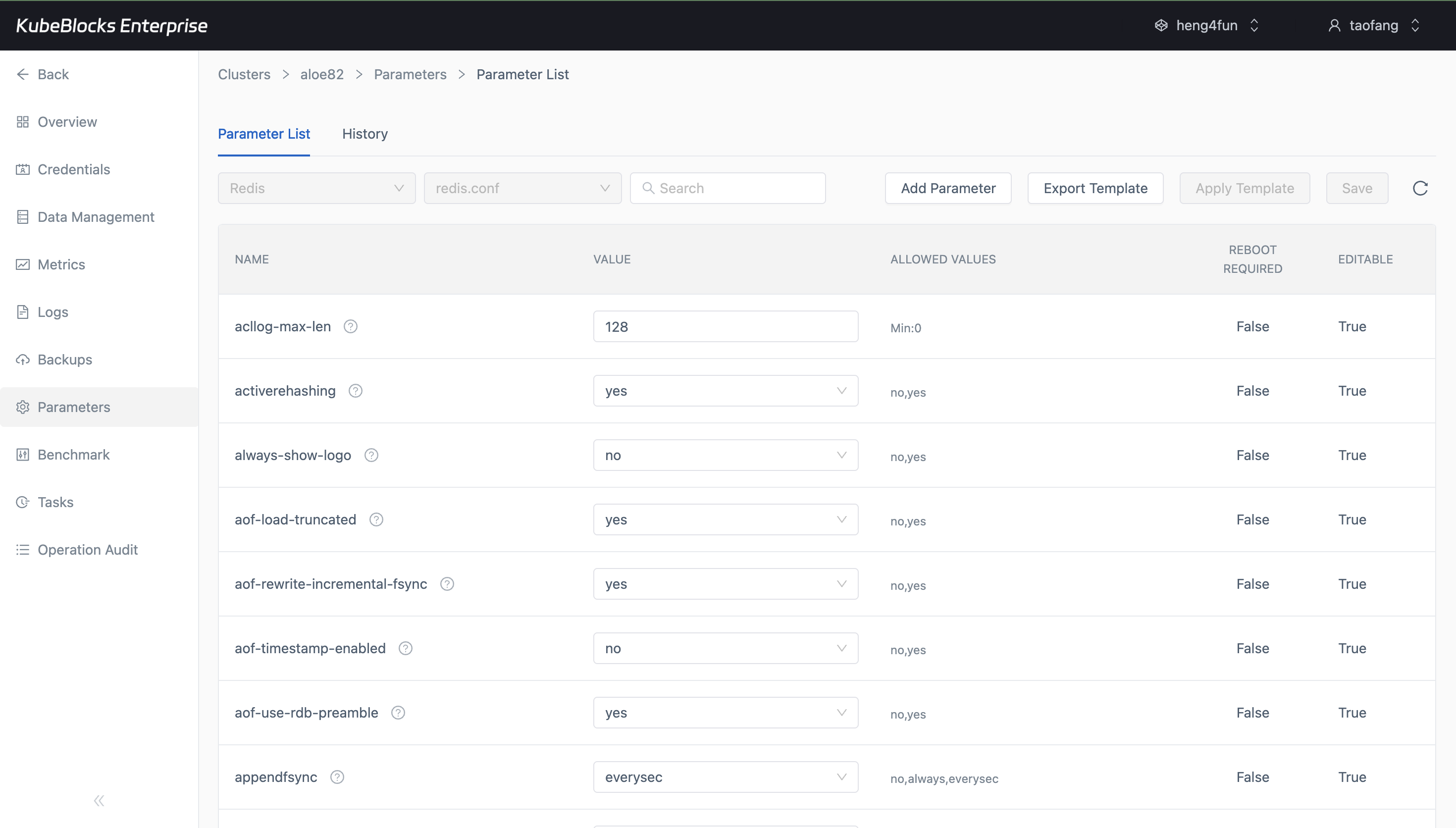
Parameter management helps users adjust Redis behavior with the current configuration visible before they commit changes.
Tune Redis parameters with a clear view of runtime settings
Review parameter templates and configurable Redis settings before making changes so users can tune persistence, memory behavior, and runtime defaults with fewer blind spots.
- Inspect the Redis parameter list before changing live configuration.
- Update runtime settings with the current template and editable fields visible in context.
- Tune cache, persistence, and memory-related behavior for different workload patterns.
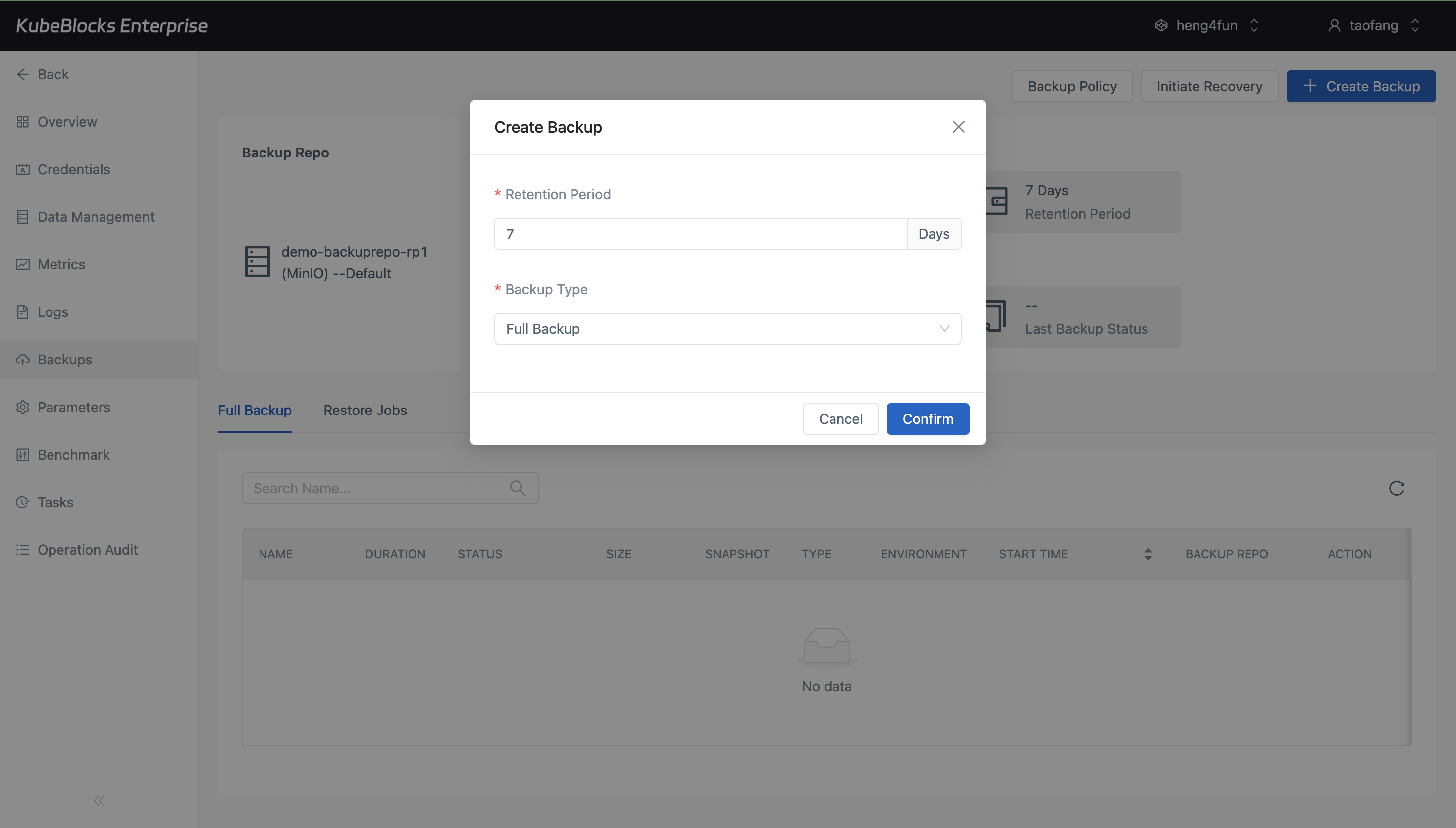
Backup creation helps users capture a Redis recovery point before maintenance or change-heavy work.
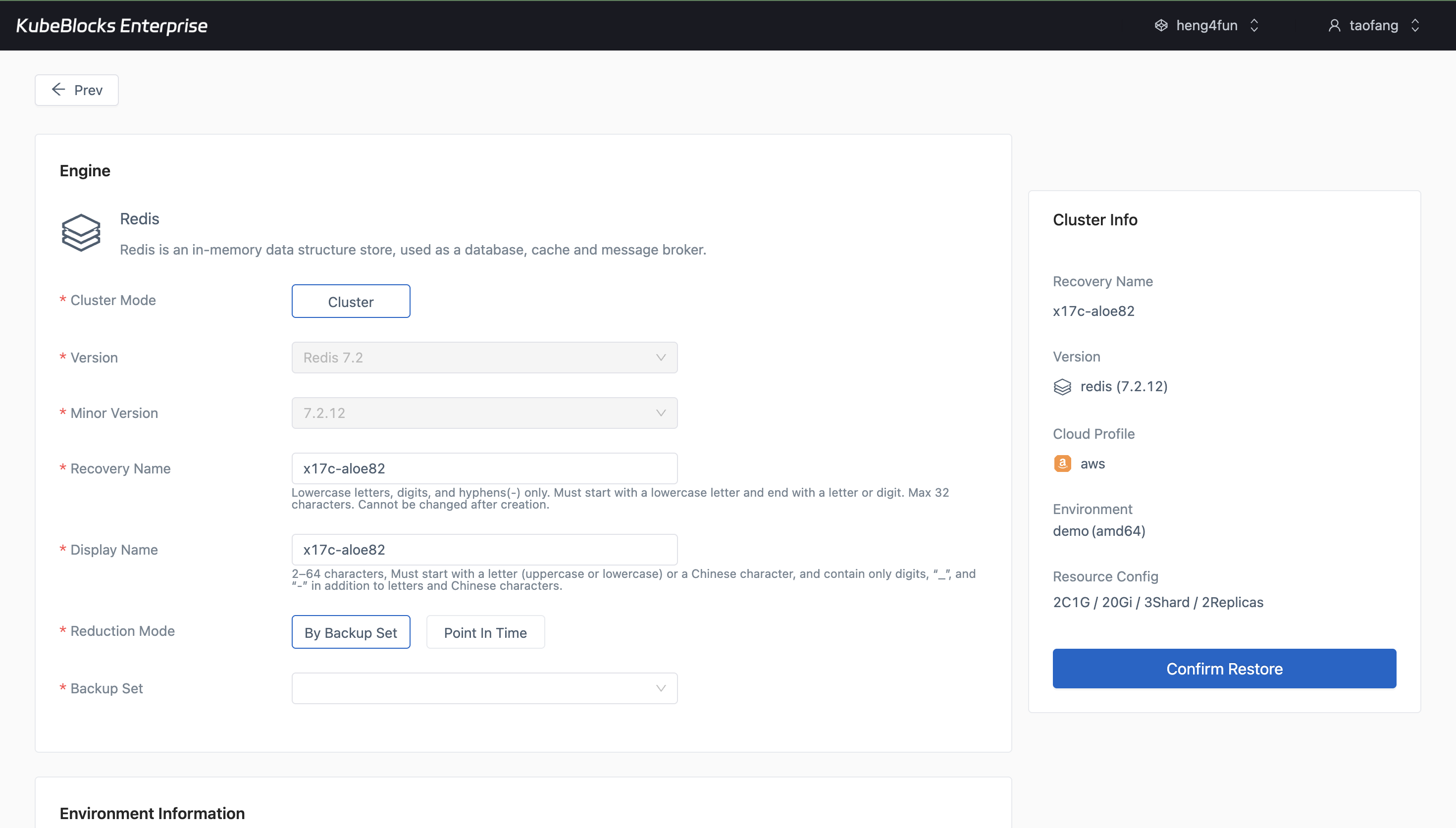
Restore guidance helps users recover Redis with less guesswork during validation or incident response.
Protect Redis data with guided backup and restore workflows
Safeguard Redis with on-demand backups and guided restore flows that help users prepare for validation, recovery, and environment rebuild scenarios.
- Create fresh Redis backups before risky changes or release events.
- Walk through restore targets and recovery settings from the console.
- Keep data protection steps visible for validation and incident response workflows.
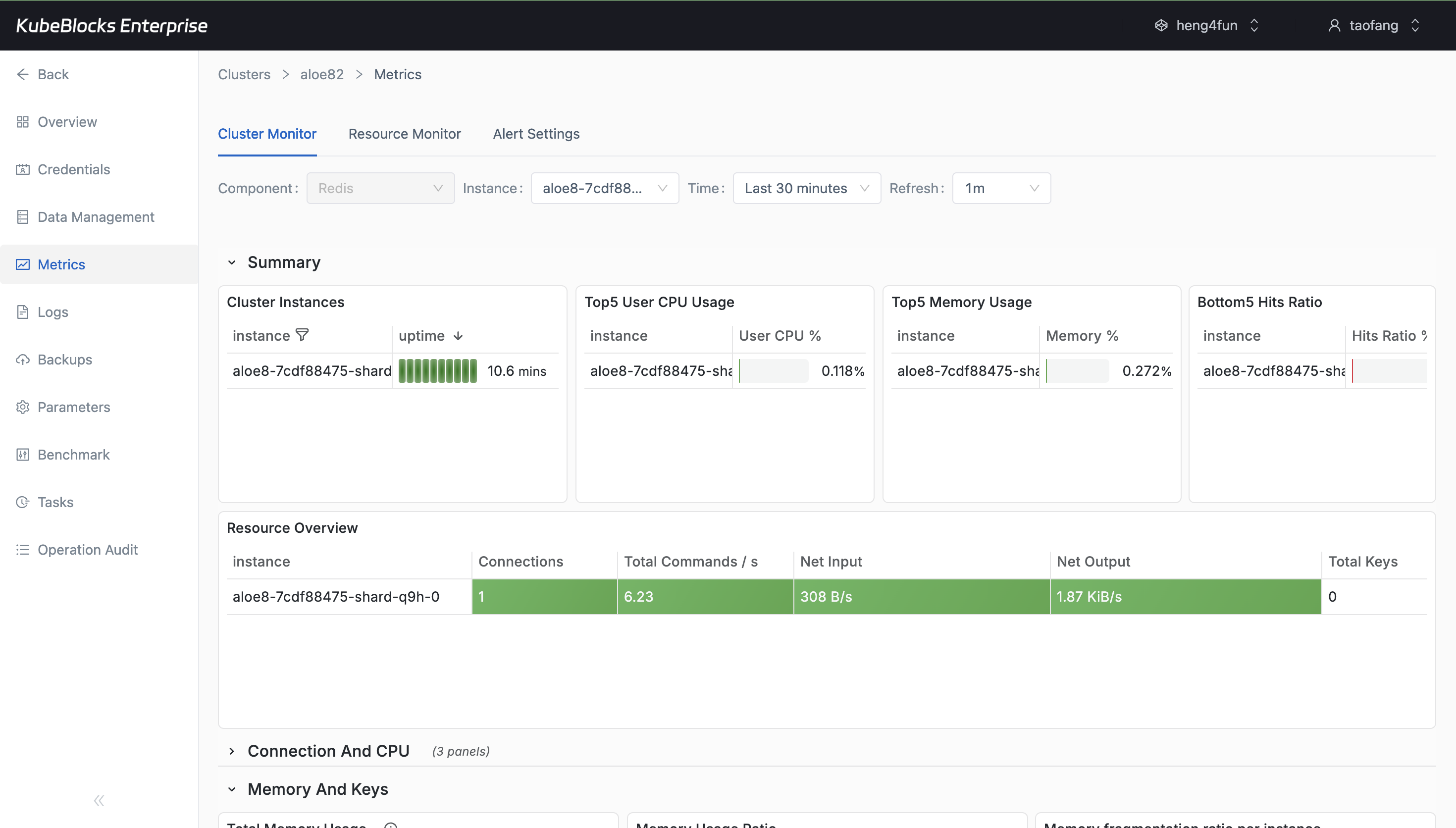
Metrics reveal Redis health and resource trends that help users spot pressure before it becomes an outage.
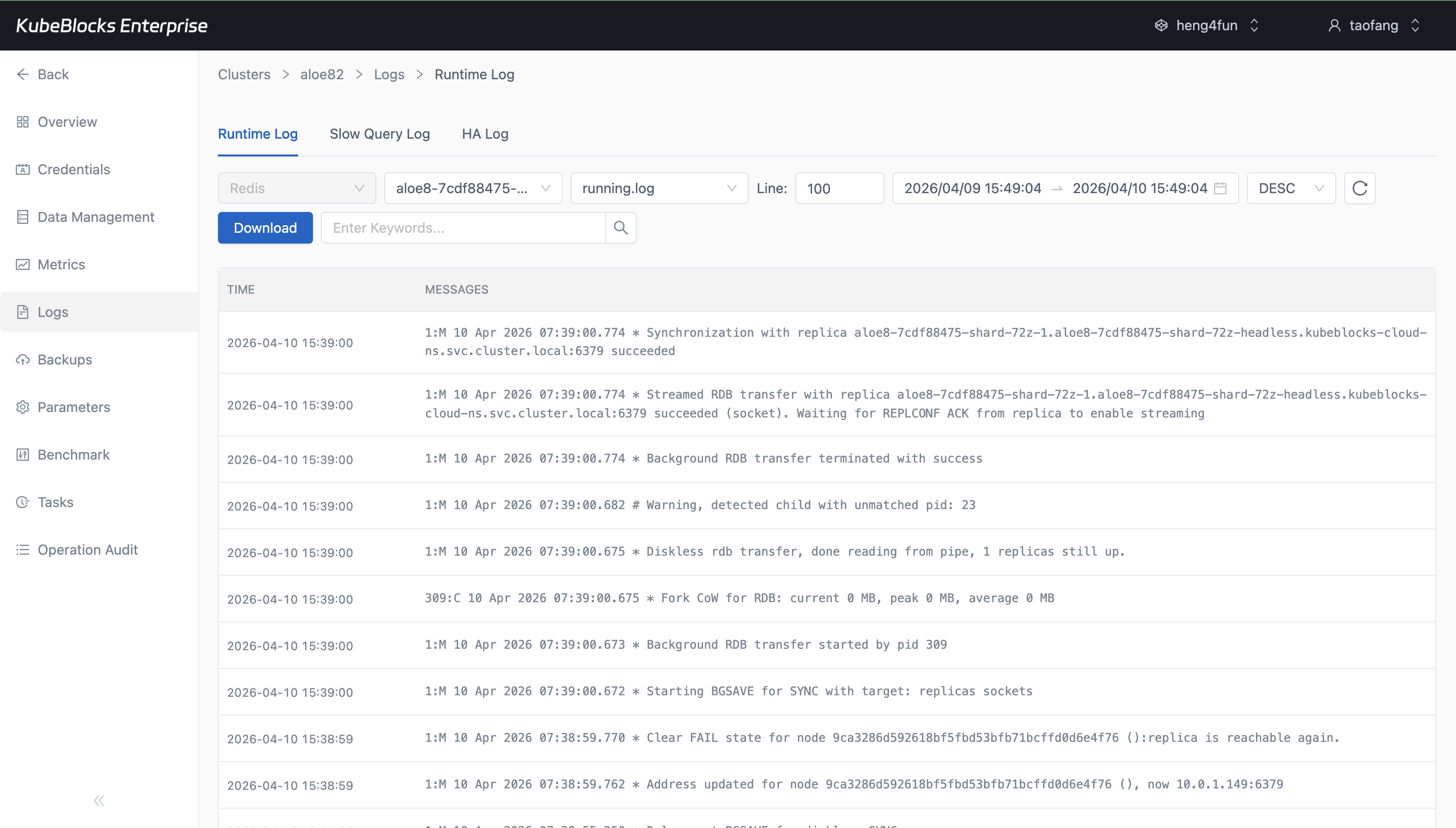
Runtime logs provide direct visibility into Redis activity for diagnosis and operational review.
Monitor Redis health, performance, and runtime activity
Track the signals that matter for production Redis, including memory trends, connections, and runtime behavior during troubleshooting.
- Monitor memory, connections, and service health from Cluster Monitor.
- Inspect Runtime Log when users need to diagnose incidents or unusual behavior.
- Keep operational signals available without leaving the database console.
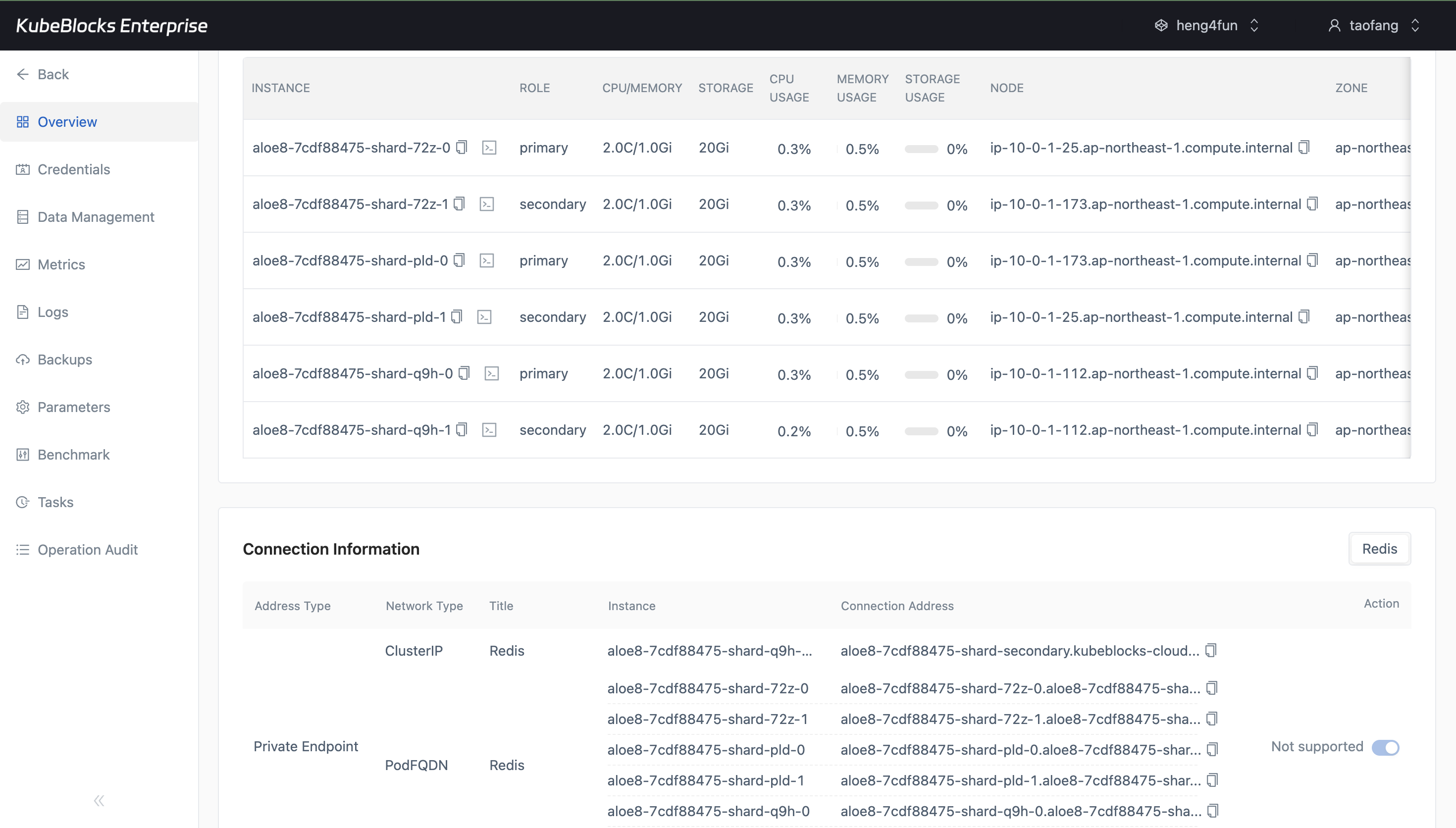
Connection details stay easy to find so users can wire applications to Redis faster.
Share the right Redis endpoints with application teams faster
Expose the connection details users need for service handoff, troubleshooting, and environment integration without digging through infrastructure objects.
- View Redis private endpoint details directly from the cluster overview.
- Hand connection information to application teams with less back-and-forth.
- Speed up troubleshooting when users need to confirm how Redis is exposed.
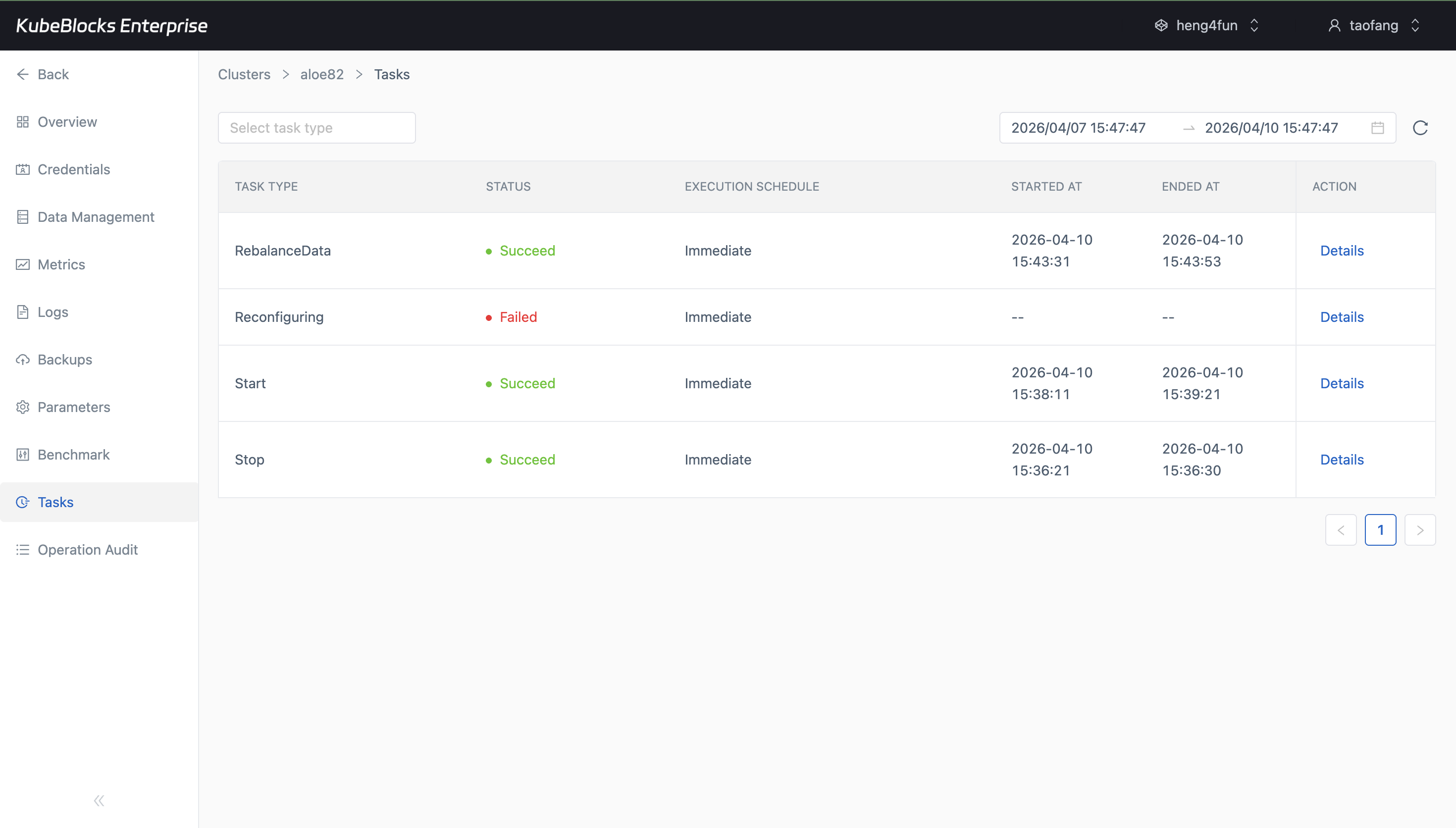
Task history gives users a practical audit trail for Redis operational work, including completed switchover activity.
Review Redis operational history through task records
See when operational actions were triggered and how they completed so users have a clearer record of lifecycle, scaling, and configuration changes.
- Review switchover, restart, stop, start, and parameter change records in one place.
- Check whether each Redis task succeeded, failed, or is still running.
- Keep a built-in timeline of operational work for production audit and handoff.
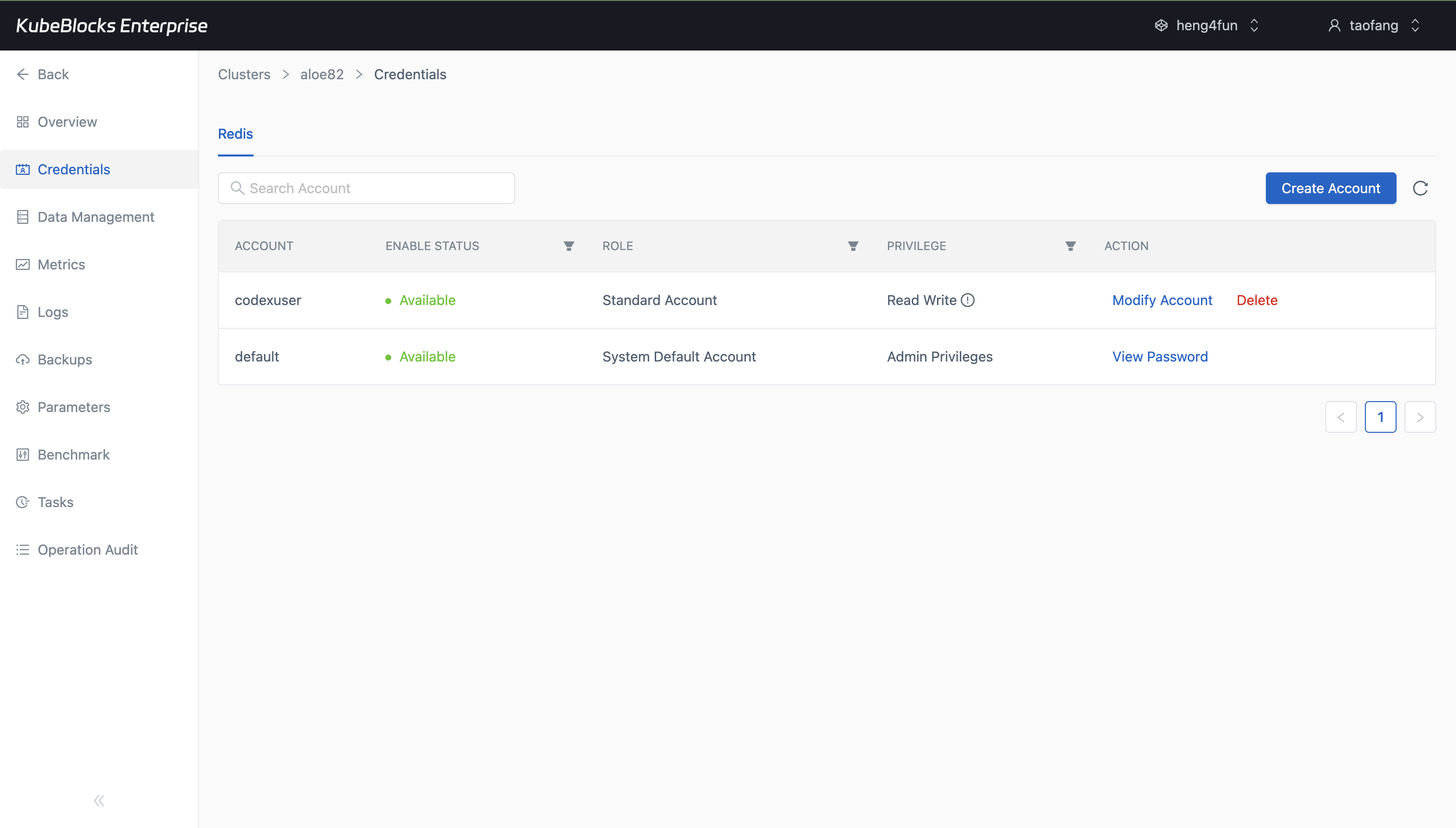
ACL user management helps users provision Redis access without overexposing commands or data scope.
Control Redis access with ACL user management
Create Redis users for applications and teams while controlling command and keyspace permissions to support stronger access governance.
- Create Redis ACL users directly from the Credentials page.
- Grant only the permissions required for each application access pattern.
- Support more controlled multi-application and multi-team Redis usage.
Want full Day-2 operations on Kubernetes? Supported by KubeBlocks Redis Kubernetes Operator →
Ready to build your own DBaaS on Kubernetes?
Talk to our team and see how KubeBlocks Enterprise can help you consolidate databases, strengthen security, and reduce operational costs.